How to Get More Views on YouTube Shorts A Complete Guide
Learn how to get more views on YouTube Shorts with our complete guide. Discover actionable tips on hooks, editing, trends, and AI tools to grow your channel.
Getting more views on YouTube Shorts isn't some dark art. It really just comes down to nailing three things: grabbing attention in the first three seconds, keeping people watching, and posting consistently. The algorithm rewards content that holds viewers, so your real focus should be on engagement—things like watch time and viewer retention—not just chasing a big view count.
Understanding the YouTube Shorts Algorithm
If you want to get more views, you have to understand the engine driving everything: the algorithm. Don't think of it as a gatekeeper; it’s more like a matchmaker. Its only job is to connect viewers with Shorts they’ll actually enjoy, keeping them scrolling on the app for longer.
When you upload a Short, it doesn't just go out to everyone. First, YouTube serves it up to a small, initial audience to see how it performs.
This is the critical test phase. The algorithm is watching closely, asking a few key questions:
- Did they watch the whole thing? This is your audience retention, and it's a huge signal that your content is compelling.
- Did they watch it more than once? A loop is the ultimate compliment. It tells the algorithm your Short is really good.
- Did they interact? Likes, comments, and shares are all positive signals that add to your Short's momentum.
- Did they swipe away immediately? A high swipe-away rate is the kiss of death. It tells the algorithm this content isn't hitting the mark.
If your Short aces this initial test, YouTube gets more confident and pushes it to a wider, similar audience. If that group also loves it, the cycle repeats, creating a powerful snowball effect. This is exactly how a Short can go from a few dozen views to millions, seemingly overnight.
The Shift from Views to Viewer Behavior
Back in the day, a "view" was just a number. Now, the algorithm is much smarter. It prioritizes viewer satisfaction over raw impressions. That's why you might see a Short with fewer views actually get promoted more heavily than one with a higher view count.
The algorithm would much rather have a Short that 100 people watched all the way through than one that 1,000 people swiped away from after two seconds.
The platform's scale is mind-boggling, with YouTube Shorts now racking up over 70 billion daily views. We're also seeing that Shorts in the 50-60 second sweet spot tend to do well, giving you enough time to tell a quick story and maximize that precious watch time. This focus on retention sends a clear message: quality content that holds attention is what wins.
The key takeaway is simple: Stop chasing views and start chasing watch time. Every second a viewer spends on your Short is a vote telling the algorithm to show it to someone else.
What This Means for Your Content Strategy
Knowing how the algorithm thinks should completely change how you make your content. It’s not enough to just hop on a trend; you have to execute it in a way that hooks people from the very first frame and refuses to let them go.
This means shifting your mindset from just "making a video" to "crafting an experience." You might want to dig into our guide on what makes a video go viral, which breaks down these core elements. At the end of the day, your success on Shorts is a direct reflection of your ability to command and hold attention in an incredibly fast-paced feed.
To wrap this up, here’s a quick-reference table summarizing the core pillars you need to focus on.
Core Pillars for Increasing YouTube Shorts Views
| Strategy Pillar | Why It Matters | Actionable Tip |
|---|---|---|
| The Hook (First 3 Secs) | Viewers decide to stay or swipe almost instantly. A strong hook is non-negotiable for stopping the scroll. | Start with a question, a bold statement, or the most visually interesting part of your video right at the beginning. |
| Audience Retention | High watch time and completion rates are the algorithm's favorite signals. It proves your content is engaging. | Structure your Short with a clear beginning, middle, and a satisfying payoff at the end to keep viewers invested. |
| Engagement Signals | Likes, comments, and shares tell YouTube that your content is resonating and worth showing to more people. | End your Short with a clear call-to-action or a question that prompts viewers to leave a comment. |
| Strategic Consistency | Posting regularly keeps your channel active and gives the algorithm more data on what your audience loves. | Aim for a sustainable posting schedule (e.g., 3-5 Shorts per week) rather than burning out with daily posts. |
Mastering these four areas is the foundation for any successful Shorts strategy. It’s less about finding a single "hack" and more about consistently delivering value that keeps people watching.
Creating Hooks That Stop the Scroll
 In the blink-and-you-miss-it world of the Shorts feed, you don’t have minutes to grab someone's attention. You have milliseconds. The viewer’s thumb is always twitching, ready to swipe on to the next video.
This is where the hook comes in. It’s the first 1-3 seconds of your video, and its only job is to give the viewer a damn good reason to stop scrolling. A weak opening is the single biggest reason why good Shorts never take off.
Think of your hook as the headline for your video. It has to spark curiosity, make a bold promise, or present a visual so unusual that the viewer just has to see what happens next. You’re not just sharing content; you’re interrupting a pattern.
Proven Hook Formulas That Work
Just saying "be interesting" is useless advice. So let's get specific. Here are some battle-tested formulas you can steal and adapt for your own Shorts.
- The Bold Statement: Lead with a controversial or surprising claim. A fitness creator might open with, "Cardio is a waste of your time." This instantly challenges the viewer's beliefs and makes them stick around to hear the "why."
- The Curiosity Gap: Pose a question or present a puzzle that leaves out a key detail. A travel channel could start with, "I found the most underrated city in Europe, and it's not where you think," forcing the viewer to wait for the reveal.
- The Visual Punch: Forget slow intros. Start with immediate, high-energy motion or a shocking visual. A real estate agent shouldn't start with a slow pan of the front door; they should open with a drone shot diving into the infinity pool.
- The Relatable Problem: Hit on a common pain point. A finance creator could lead with, "If your bank account is crying just looking at your grocery bill, you need to see this." This creates an instant bond with the viewer.
The most effective hooks create an "open loop" in the viewer's mind. You present a puzzle, a promise, or a problem, and they feel a psychological need to stick around to see the resolution.
Mastering these frameworks is how you go from hoping people watch to strategically compelling them to stay.
Deconstructing a Viral Hook
Let's see this in action. Imagine you’re a startup selling a new productivity app. Your first instinct might be to make a Short that starts with your logo and says, "Check out our new app!" That video is dead on arrival. It's an ad, and people skip ads.
A much smarter approach? Open with a quick shot of a ridiculously cluttered desk, covered in sticky notes and half-empty coffee mugs. The text overlay hits hard: "This is why you feel so overwhelmed."
This hook works on two levels. First, it’s painfully relatable. Second, it makes a bold, almost accusatory statement that piques immediate interest. Anyone with a messy to-do list is now hooked. They want to know the reason for their overwhelm and, more importantly, the solution. The rest of the video can then perfectly position your app as the hero of the story.
Scaling Your Hook Creation
Let's be real: brainstorming killer hooks for every single video is draining. That's where AI can be an incredible creative partner. Instead of staring at a blank screen, you can generate dozens of ideas in seconds.
Give an AI scriptwriter a simple concept like "a tutorial for making sourdough bread." It might fire back hooks like, "You've been killing your starter without realizing it," or "The secret to a perfect sourdough loaf is probably already in your fridge."
If you're completely stuck, you can use Proom's AI hook generator to explore different angles and find one that clicks. This lets you test multiple hooks and see what your audience responds to, fine-tuning your strategy to get way more views on your YouTube Shorts.
Editing and Pacing for Maximum Retention
 A great hook makes them stop scrolling, but your editing is what convinces them to stay. On YouTube Shorts, high audience retention is everything. It's the strongest signal you can send the algorithm that your content is worth pushing to more people.
Think of it this way: your hook is the promise, and your editing is how you deliver on it.
The modern attention span is notoriously short, and the Shorts feed has conditioned viewers to expect a constant stream of new information. Any scene that lingers too long is a death sentence for retention. Your goal is to make every video feel like it’s rocketing forward, even if the topic is simple. This isn’t about adding explosions; it’s about making your editing dynamic and intentional.
Pacing is the secret sauce here. Every single cut, sound effect, and caption needs to serve a purpose: hold attention and build momentum until the very end. Get this right, and you're on the fast track to getting more views.
Embrace Rapid-Fire Editing
Here’s the golden rule of Shorts editing: when in doubt, cut. Long, drawn-out shots are your enemy. A good Short should feel like a rhythmic series of quick cuts that keep the viewer’s brain firing.
Imagine a cooking Short. Instead of one continuous shot of someone chopping an onion, you'd see a quick cut of the knife hitting the board, a close-up of the diced pieces, then an instant jump to the next ingredient. This creates a powerful sense of speed and progress.
- Change the Angle: Even if you're just talking to the camera, punch in with a slight zoom every few seconds. It’s a subtle trick that breaks up the static frame and makes the shot feel more alive.
- Use B-Roll Generously: Cut away to relevant clips or images to illustrate what you're saying. This adds crucial visual context and prevents viewer fatigue.
- Cut on the Action: Try to make your cuts align with on-screen movements. For example, as a hand reaches for something, cut to the next shot just as it makes contact. This makes the edit feel smooth and almost invisible.
This fast-paced style respects your viewer’s time and plays right into the nature of the short-form format. It keeps the energy high and fights off the dreaded swipe-away.
High retention isn't an accident; it's a result of deliberate editing choices. A Short that feels shorter than it actually is has done its job perfectly.
Use Sound and Captions to Drive the Narrative
On Shorts, audio is easily half the experience. Trending sounds are vital for discovery, but your own sound design is a massive tool for retention.
Use subtle sound effects to add another layer of polish and engagement. A little whoosh for a transition or a ding to highlight a key point can make a huge difference. These small audio cues help emphasize on-screen actions and pull the viewer deeper into the video.
On-screen captions are just as important. Plenty of people watch with the sound off, but even for those with audio on, dynamic captions can direct their focus. Don't just slap a static block of text on the screen.
- Animate your captions: Make words pop up one by one as you say them.
- Highlight key phrases: Use different colors or bold text to make important words stand out.
- Add emojis: A well-placed emoji can inject personality and visual interest.
When you combine these elements, you create a multi-sensory experience that’s much harder to ignore. Your job is to make your Short effortless to watch and impossible to scroll past.
Ready to create video ads?
Turn your photos into scroll-stopping ads in minutes. No video editing skills required.
Try For FreePerfecting Your Workflow with Templates
Let's be real: creating a polished, professional-looking Short every single day is a grind, especially if you're a solo creator or a small team. This is where templates become your unfair advantage.
Instead of starting from a blank timeline every time, a template gives you a pre-built structure with professional transitions, text animations, and pacing already baked in. A real estate agent, for instance, could use a cinematic template from Proom AI to transform a handful of property photos into a high-energy virtual tour in minutes.
Using a template helps you maintain a consistent, high-quality look that builds brand recognition while keeping viewers hooked. It lets you focus on the actual content, not the technical editing, helping you produce better videos, faster. That’s the key to a sustainable and successful Shorts strategy.
Optimizing Your Shorts for Discovery
Making a great Short is only half the job. Getting it seen is the other. This is where on-platform optimization comes in—it’s the pre-publish checklist that gives your video its best shot at finding the right audience. Think of it as leaving clear signposts for the YouTube algorithm, telling it exactly what your content is about and who it’s for.
You’d be surprised how much a few small tweaks to your title, description, and hashtags can move the needle on your views. This isn't about trying to game the system. It's about giving your content the context it needs to find the viewers who will actually watch, enjoy, and engage with it.
Crafting Titles That Spark Curiosity
Your title is one of the first things a viewer—and the algorithm—sees. It has to be short, punchy, and create a little bit of intrigue. While YouTube gives you a 100-character limit, only a fraction of that is actually visible in the Shorts feed. You have to front-load the good stuff.
A generic title like "My Morning Routine" is forgettable. Instead, try creating a curiosity gap: "The 3 AM habit that changed my life." This does two things at once: it hits relevant keywords ("habit," "morning routine") and makes a promise that viewers will stick around to see fulfilled.
Here are a few formulas that work well:
- Ask a Question: "Are you making this common coffee mistake?"
- Make a Bold Claim: "This AI tool just replaced my entire software budget."
- Hint at a Story: "How I accidentally built a six-figure business."
These aren't just descriptions; they're magnets for attention. They sell the click.
The Strategic Art of Hashtags
Hashtags are your direct line of communication with the algorithm. The secret is to use a smart mix of broad and niche tags. This helps you maximize your reach without getting completely lost in a sea of other videos.
Always start with the obvious one: #shorts. Yes, YouTube already knows it’s a Short, but including the tag is a well-established best practice that just reinforces the format. From there, you can get more strategic.
| Hashtag Type | Purpose | Example |
|---|---|---|
| Broad | Connects your video to huge, trending topics. | #DIY, #tech, #fitness |
| Niche | Targets a specific community or interest group. | #woodworkingprojects, #unrealengine5, #ketorecipes |
| Branded | Helps you build a unique content series or brand identity. | #YourBrandChallenge, #YourShowName |
A solid rule of thumb is to use 3-5 highly relevant hashtags. For a Short about a home renovation project, you might use #shorts, #homerenovation, #DIY, and #interiordesignideas. This combination gives YouTube a crystal-clear picture of your content, helping it find the right eyeballs.
Your optimization efforts are cumulative. A great title plus smart hashtags gives the algorithm multiple strong signals, boosting the chances your Short will land on the Shorts Shelf and get pushed out to new viewers.
Leverage Your Description and Pinned Comment
While the description isn't as front-and-center as the title, it's another chance to feed the algorithm with keywords and context. Write a brief sentence or two explaining what the Short is about, weaving in terms people might be searching for. This is less for the viewer and more for YouTube's long-term content categorization.
And don't sleep on the pinned comment. It’s the perfect place to spark a conversation. Ask a question related to your video to get the comments rolling. This simple move can give your engagement metrics a serious lift. For more tips on driving these interactions, check out our guide on how to increase social media engagement. High engagement is a massive signal to the algorithm that your content is worth showing to more people.
To really get ahead, you need to understand the underlying principles of what makes content spread. This resource on What Makes a Video Go Viral is a fantastic read that breaks down core concepts that are directly applicable to your Shorts strategy. Mastering these fundamentals is the final piece of the puzzle.
Building a Sustainable Shorts Content Strategy
Chasing a viral hit is a thrill, but it’s not a strategy. The real secret to long-term growth on YouTube isn't about one-off wins; it's about consistency. Trying to pump out content 24/7 is a recipe for burnout. The goal isn't just to get more views today, but to build a smart system that lets you create great content for the long haul.
A winning strategy is all about finding that sweet spot between quantity and quality. You need a workflow that’s repeatable and doesn't leave you feeling drained, so your channel can grow steadily without you sacrificing your sanity.
The key is turning best practices into habits. Think of it like a simple publishing checklist you run through for every single Short.
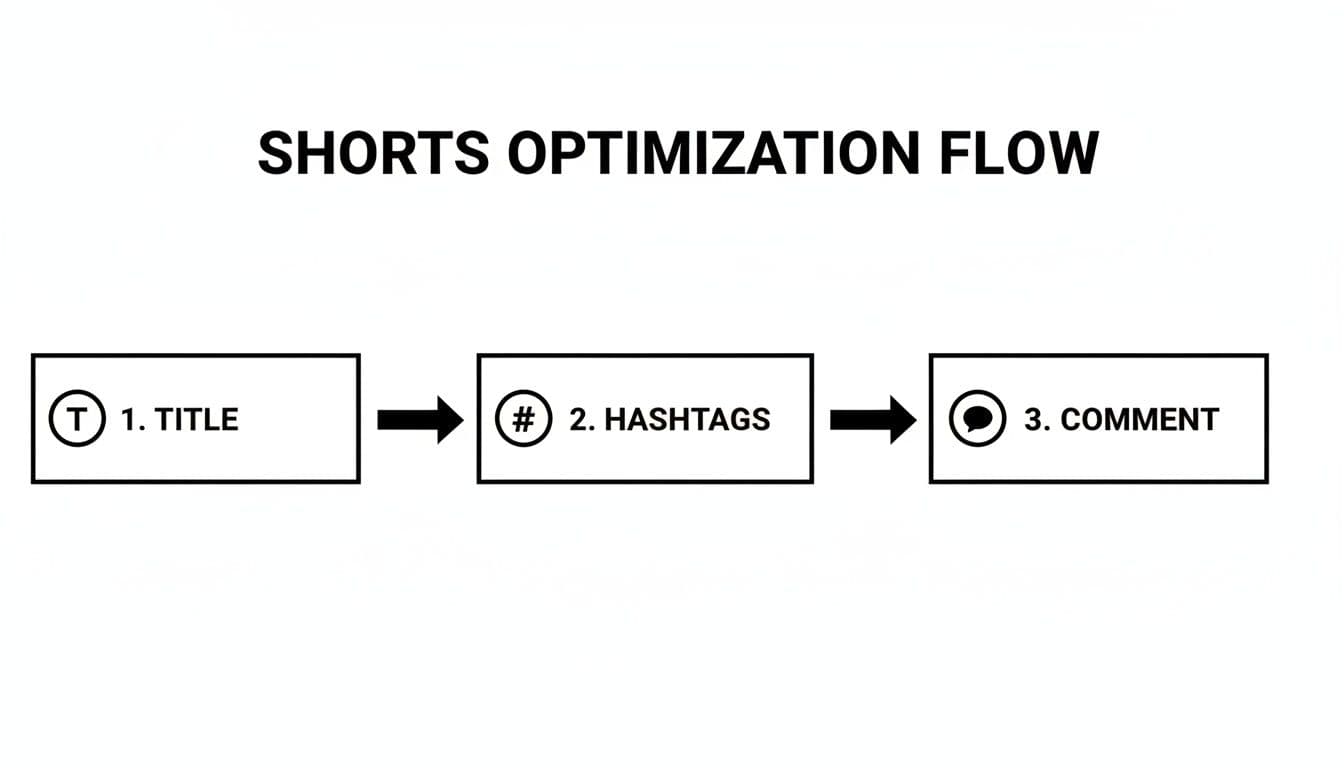
This simple process—nailing the title, hashtags, and comments every time—is the foundation of a workflow that makes consistency feel effortless.
Finding Your Perfect Content Mix
One of the smartest things you can do is think beyond just Shorts. The most successful channels I've seen use a powerful combination of short-form and long-form videos. Each format has a very specific job to do.
Shorts are your handshake. They’re the top of your funnel, reaching massive new audiences who might never have found you otherwise. But your long-form videos are where you build a real community. They let you dive deep, show off your personality, and deliver the kind of value that turns a casual viewer into a loyal subscriber.
Lots of creators have found success with a 30/70 content ratio: 30% of their output is Shorts, and 70% is traditional long-form content. This mix helps the algorithm understand your niche while constantly feeding the channel with new viewers.
Shorts and long-form videos aren't in competition; they're two sides of the same coin, working together to grow your channel. One hooks new viewers, and the other turns them into a community.
Shorts vs. Long-Form Video Strategy
| Attribute | YouTube Shorts | Long-Form Videos |
|---|---|---|
| Primary Goal | Attract new viewers, audience discovery, top-of-funnel reach | Build community, deepen engagement, establish authority |
| Content Style | Fast-paced, high-energy, single-idea focus | In-depth, narrative-driven, educational, personality-focused |
| Viewer Intent | Passive consumption, quick entertainment, scrolling | Active search, seeking detailed information or entertainment |
| Monetization | Shorts Fund, ad revenue sharing (lower RPM) | AdSense, sponsorships, affiliate marketing, memberships (higher RPM) |
| Role in Funnel | Awareness: Introduces your channel to a broad audience | Consideration & Conversion: Nurtures viewers into subscribers and fans |
Ultimately, this blended approach creates a self-reinforcing loop. Shorts bring in the traffic, and your long-form content gives them a reason to stick around.
Determine Your Optimal Posting Cadence
Every creator asks it: "How often should I post?" The answer isn't a magic number. It's whatever schedule you can stick to without the quality dropping. Seriously.
Consistency beats frequency every time. Posting three excellent Shorts a week is way better than posting seven rushed ones.
To figure out your ideal schedule, let your data be your guide. Your YouTube Analytics holds the clues.
- Head over to YouTube Studio > Analytics > Audience.
- Find the "When your viewers are on YouTube" chart. This is gold. It shows you the exact days and hours your audience is most active.
- Start experimenting. Schedule your Shorts to go live just before those peak times to give them a nice initial push from your existing audience.
Stop copying what other creators are doing. Your audience is unique. Let your own data tell you what to do, and be ready to adjust as you learn what works.
This removes all the guesswork. Over time, you'll dial in the perfect posting rhythm for your specific viewers, maximizing the impact of every single Short you create.
Streamline Your Workflow with a Template-Based Approach
If you're a solo creator or a small team, the production process itself can become a massive bottleneck. Starting every single video from scratch is a huge time suck. This is where a template-based system can completely change the game.
Imagine using pre-designed templates that already have slick pacing, text animations, and transitions baked right in. Instead of wrestling with the technical side of editing, you can pour all your energy into what actually matters: the content, the script, and the message.
Tools like an AI-powered YouTube Shorts generator can be a massive help here. They turn video creation from a chore into an efficient, repeatable process. This lets you produce more high-quality, polished content, which is exactly what you need to fuel sustainable channel growth.
Common Questions About Growing on YouTube Shorts
Even with the best strategy, you're going to hit some bumps in the road. Growing on YouTube Shorts is a game of constant testing and learning, and sometimes you just need a straight answer to a nagging question.
Let's dive into some of the most common hurdles creators face and get them sorted out. Think of this as your quick-reference troubleshooter to get you back to what matters: making great content.
Why Did My YouTube Short Get Zero Views?
Seeing a big fat zero on your view count is a gut punch, but don't panic. It's almost never a permanent glitch. More often than not, it just means your Short is still being processed by YouTube's system. This can take a few minutes or even a few hours, especially if you have a new channel.
During this brief limbo, your video isn't being pushed out to anyone. My advice? Be patient. Check back in an hour or two. If it's been a full 24 hours and you're still at zero, then it's time to investigate.
Here’s a quick checklist for what might be holding it up:
- Copyrighted Stuff: Did you use a song or a movie clip that got flagged? A copyright claim is the fastest way to get your video’s distribution shut down.
- Community Guidelines: Take another look at YouTube's policies. Even something you think is harmless might have been flagged by the automated system, effectively shadowbanning the video.
- A Rare Glitch: It happens. Sometimes an upload just gets stuck. If you've ruled everything else out, your best bet is to delete the original and try re-uploading it as a fresh Short.
Honestly, 9 times out of 10, the "zero view" issue resolves itself if you just give it some time. Let the algorithm do its thing before you start worrying.
How Long Does It Take for a Short to Go Viral?
There's no magic number here. I've had Shorts blow up within the first hour, and I've seen others sit dormant for weeks before suddenly catching fire and pulling in millions of views. It all comes down to the initial test audience.
When you publish a Short, YouTube shows it to a small, targeted group of people. If that group loves it—watching it multiple times, liking, and commenting—the algorithm takes that as a massive green light and starts pushing it out to a much wider audience. That’s when you see those huge, fast spikes.
But sometimes a video just needs to find its moment. A sound or topic that wasn't popular when you posted might suddenly start trending a month later, and your video gets swept up in the wave.
Don't you dare delete a Short just because it flopped on day one. Your videos are assets. Let them live on your channel, because you never know when one might find its audience and take off.
Does Trending Audio Really Help Get More Views?
Yes, absolutely—but it’s not a cheat code. Using trending audio is like telling the algorithm exactly where to file your video. It instantly puts your Short into a feed with other popular content, dramatically increasing its chances of getting discovered by people already engaging with that trend.
Think of it as jumping onto a moving train. But here’s the catch: the audio won’t save a boring video. Your content still has to be good. The hook needs to grab them, and the story needs to keep them.
Here's how to use trending audio the right way:
- Make it Relevant: Don't just slap a popular sound on a random video. If the audio and the visual don't match, viewers will feel it, and it comes off as lazy.
- Be Quick: The lifespan of a trend is short. The earlier you can jump on a rising sound, the less saturated the competition is.
- Add Your Own Spin: The best creators don't just copy a trend; they remix it. Add your unique perspective or a surprising twist. The algorithm rewards originality that builds on what's already popular.
Trending audio is a distribution tactic, not a content strategy. Pair it with a great idea, and you’ve got a winning combination.
Should I Post Shorts on My Main Channel?
One hundred percent, yes. That old myth that Shorts will kill your long-form channel's performance has been totally debunked. YouTube has designed the two formats to complement each other.
Shorts are an incredible discovery tool. They are your channel's billboard, grabbing new people who would have never found your long-form videos otherwise. Many of those new viewers will get curious, click over to your channel, and start binging your main content.
The key is to keep things thematically consistent. If your main channel is about detailed baking tutorials, your Shorts should be quick kitchen hacks or 60-second recipe highlights. This way, the audience you attract with your Shorts is actually interested in what your channel is all about. It’s a perfect funnel for turning casual scrollers into loyal subscribers.
Ready to stop guessing and start creating high-performing video content? Proom AI turns your still images into polished, professional video ads in minutes. With our industry-specific templates and AI-powered scriptwriting tools, you can scale your production and create Shorts that capture attention every time. Start your free trial at proom.ai and see how easy it is to make videos that get views.
Ready to create video ads?
Turn your photos into scroll-stopping ads in minutes. No video editing skills required.
Try For Free

