Photo to Video AI: Transform Images Instantly (2026)
Photo to video AI: Turn static images into engaging clips in seconds. 5 tools tested with quality scores. Animation styles & use cases compared →
Photo to video AI is exactly what it sounds like: smart technology that takes a bunch of still photos and automatically stitches them into a slick, professional-looking video. These tools are clever enough to analyze your images, add cinematic transitions, and pace the whole thing to create an engaging ad in just a few minutes. Best of all, you don't need to touch any complex editing software.
The New Era of Video Ads: Why Photo to Video AI Is a Game Changer
Let's be honest, in the fast-scrolling world of social media, a static image just doesn't have the stopping power it used to. Making the jump to video isn't just a trend anymore; it's a must-do for any brand that wants to get noticed. This is where photo to video AI steps in and completely changes the game for marketers, small business owners, and creators.
Putting Professional Video Production in Everyone's Hands
Not too long ago, creating a quality video ad meant shelling out for expensive photoshoots, hiring skilled editors, and waiting through long production cycles. For smaller teams or solo entrepreneurs with tight budgets, this basically put professional video marketing out of reach.
But now, AI-powered platforms are leveling the playing field. They give anyone the power to produce a compelling video ad just by uploading a set of product photos they already have. This is huge. Suddenly, a whole new world of possibilities opens up for:
- E-commerce Brands: Instantly convert static product shots into thumb-stopping ads for your next social media campaign.
- Real Estate Agents: Animate property photos into dynamic virtual tours that grab the attention of potential buyers.
- Creative Professionals: Pull together a polished portfolio video that truly showcases the quality of your work.
And this isn't some niche tech trend. The global AI video market hit an incredible USD 11.2 billion in 2024 and is expected to skyrocket to USD 246.03 billion by 2034. Why? Because the demand for affordable, scalable content is massive. AI tools are reportedly cutting production costs by as much as 80% compared to the old-school way of doing things.
The real magic is turning simple photos into a story that connects. You're not just showing a product; you're creating a narrative that boosts engagement and makes your visuals work so much harder for you.
To put the advantages into perspective, let's compare the two approaches side-by-side.
Photo to Video AI vs Traditional Video Production
| Attribute | Photo to Video AI | Traditional Video Production |
|---|---|---|
| Speed | Minutes to hours | Days to weeks |
| Cost | Low (often subscription-based) | High (equipment, crew, software) |
| Skill Required | Minimal (drag-and-drop) | High (editing, cinematography) |
| Scalability | Easily produce many variations | Difficult and time-consuming |
| Accessibility | Anyone with photos can use it | Requires professional expertise |
The table makes it clear: AI offers a faster, cheaper, and more accessible path to creating high-quality video content.
Speed, Scale, and Serious Savings
The benefits you get from using a photo to video AI tool are immediate and obvious. Think about it: you could create a dozen different ad variations for A/B testing in the same amount of time it used to take to edit a single video. This kind of speed gives you incredible marketing agility, allowing you to react to trends and performance data on the fly. If you're just getting started, our complete guide on how to create video ads is a great place to begin.
Getting comfortable with this technology gives you a real competitive edge. You can produce more content, test more creative ideas, and ultimately drive better results—all without blowing your budget.
Getting Your Photos Ready for Their AI Debut
The old saying "garbage in, garbage out" has never been more true than with AI video. The magic of a photo to video AI doesn't just happen in the algorithm—it starts with the quality of your images. Think of yourself as the director and the AI as your editor; you need to give it the best possible footage to work with.
Putting in a little prep work up front makes a world of difference. It's what separates a polished, professional video from a choppy, amateur-looking slideshow.
Your absolute baseline should be image quality. High-resolution photos are non-negotiable. Why? Because a high-res image is packed with data, giving the AI more detail to analyze, animate, and create smooth, believable motion. If you feed it blurry or pixelated shots, you'll get a muddled, low-quality video that nobody will want to watch.
Curate for a Consistent Vibe
Beyond just sharp images, you need to think about visual harmony. A video feels jarring and unprofessional when the lighting, colors, and overall style jump all over the place. You're trying to create a seamless experience, not a random collection of photos.
Imagine you're making an ad for a real estate listing. Using photos all shot on a bright, sunny day creates a warm, inviting virtual tour. But if you mix in a few shots from a gloomy, overcast afternoon, the whole mood is ruined. The flow is broken.
Here’s how to nail the consistency:
- Pick a Lane: Go through your photos and select only the ones that share a similar color palette and aesthetic. Be ruthless.
- Tweak and Tune: Use a basic photo editor to make small adjustments. A little tweak to the brightness, contrast, or color temperature across your set can make them feel like they belong together.
- Keep a Steady Frame: While not always essential, cropping your photos to a similar aspect ratio (like 16:9 for landscape or 9:16 for vertical) helps the AI create much smoother transitions between scenes.
Arrange Your Photos to Tell a Story
This is where you really start thinking like a filmmaker. The order of your photos is your narrative. Don't just dump them into the uploader randomly. You need to guide the viewer's eye and tell a compelling story, one frame at a time.
For an e-commerce brand selling a watch, the story could unfold like this:
- A stunning wide shot of the watch on a wrist.
- A close-up of the intricate watch face.
- A detail shot of the clasp and band.
- A final lifestyle shot of someone checking the time in a cool setting.
See? It’s a logical progression that builds interest. An interior designer could start with a "before" shot of a dated room, then reveal the stunning "after" from multiple angles, creating a powerful narrative of transformation.
A well-planned photo sequence is the backbone of your video's narrative. It transforms a collection of static images into a dynamic journey that holds your audience's attention from beginning to end.
Before you even open the AI tool, do this one simple thing: create a dedicated folder and rename your chosen images in the order you want them to appear. Something like 01_WideShot.jpg, 02_DetailShot.jpg, and so on.
This little bit of organization streamlines the entire process and ensures your visual story unfolds exactly as you envisioned. By focusing on quality, consistency, and sequence, you’re not just uploading photos—you're setting the stage for the AI to do its best work.
How to Generate Your First AI Video Ad
Alright, you’ve polished your images and have them ready to go. Now for the fun part: actually making the video. The great thing about a modern photo to video AI platform is just how simple it is. You really don’t need a background in video editing to get something that looks professional enough for a social media ad campaign.
It all starts with picking a template. Think of these as pre-built recipes for your video, designed with specific industries and goals in mind. A template for a real estate listing is going to have a totally different vibe—pacing, text placement, the works—than one for a fast-paced e-commerce product drop. Choosing the right one lays the groundwork for the entire look and feel of your ad.
Ready to create video ads?
Turn your photos into scroll-stopping ads in minutes. No video editing skills required.
Try For FreeSelecting Your Template and Uploading Images
Once you've landed on a template that fits your goal, the next step is a breeze: uploading those images you just prepped. This is where that little bit of planning really pays off. Because you already sequenced your photos, you can just grab them in order, knowing your visual story will unfold exactly as you intended.
After the upload, the AI gets to work. It’s not just stitching images together; it’s analyzing each one to find the focal points and create smooth, cinematic transitions between them. This isn't your grandma's slideshow. The platform intelligently paces the cuts and animations to match the template's energy, turning your static shots into a genuinely dynamic narrative.
This workflow breaks down how to prep your photos so the AI has the best possible material to work with.
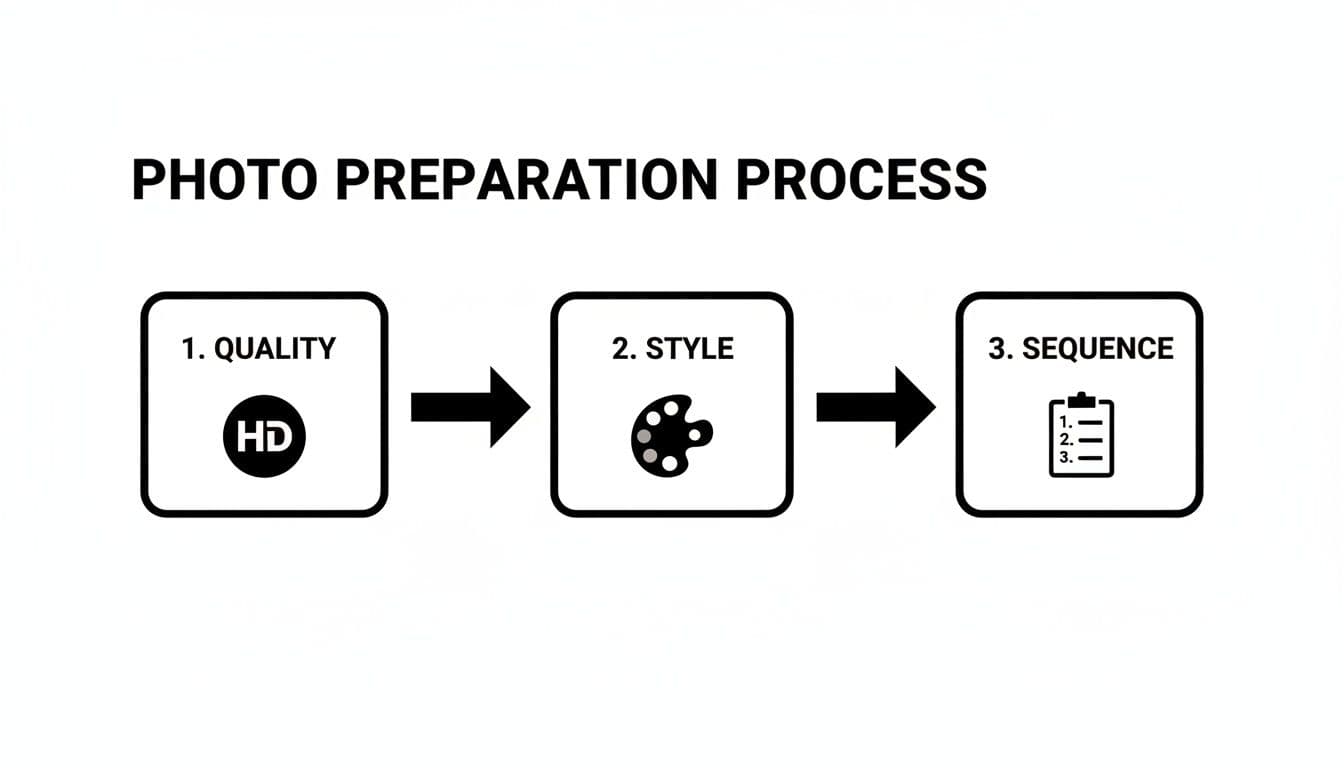
As you can see, locking in high-quality images with a consistent style—all arranged in a logical sequence—is the secret sauce for a polished final video.
The Magic of AI Generation
With your photos loaded in, you just hit the "generate" button. The technology driving this is advancing at an incredible pace. The market for the generative AI models that power these tools hit USD 4,628.2 million in 2024 and is projected to soar to USD 27,739.8 million by 2030. This explosion is happening because the tech is finally accessible, and frankly, people are now used to seeing AI-generated content on their feeds.
Let’s walk through a real-world example to see how it plays out.
Scenario: An Interior Designer's Portfolio Video
An interior designer wants to create a short, elegant video for their Instagram profile to show off a recent project.
- Template Choice: They pick a "Portfolio Showcase" template. This one is designed with slow, graceful transitions and clean, minimalist text overlays that won't distract from the work.
- Image Upload: They upload 10 high-resolution photos, sequenced to tell a story. It starts with a wide shot of the finished room, moves to close-ups on details like custom furniture and unique light fixtures, and wraps up with a powerful before-and-after shot.
- Generation: They click "Generate," and the AI creates a 30-second video. It automatically applies a subtle "zoom and pan" effect to each photo, giving them life and motion, then seamlessly blends each scene into the next.
The entire process, from picking a template to having a downloadable video, can take less than five minutes. This speed is a game-changer, letting creators and marketers produce content at a scale that was just impossible before without a dedicated video team.
Once the initial video is ready, you can jump into customization to add your brand’s unique voice. There are a ton of platforms out there, each with its own strengths. To help you navigate the options, we put together a guide on the best AI video generators for 2026. This next phase is where you get to fine-tune the details and make the ad truly yours.
Customizing Your Video with AI-Powered Features
Getting that first AI-generated video draft is a great feeling, but the real magic happens in the details. This is where you go beyond the template and inject your brand's unique personality into the ad, turning a solid sequence of images into something that truly connects with your audience. Think of the initial video as your canvas; the final touches are what make it a masterpiece.
Frankly, customization is what separates a generic video that shows your product from a targeted ad that actually sells it. These refinements make sure your video doesn't just look professional, but also speaks in your distinct voice and guides viewers toward a specific action.
Crafting a Compelling Narrative with Words and Sound
Text and audio are your secret weapons for adding context and emotional punch. The best platforms give you powerful tools to nail these elements without ever having to leave the video generator.
Start with the captions. Don't just settle for generic descriptions. An AI scriptwriting tool can help you craft a hook that stops the scroll cold. For instance, a real estate agent could ditch "Beautiful living room" and have the AI generate something like, "Imagine your mornings in this sun-drenched space." It’s a tiny shift that makes a world of difference.
Next up, the audio experience. The right background music can completely flip the mood of your ad.
- Upbeat and energetic tracks are a no-brainer for an e-commerce brand launching a new collection.
- Calm and ambient music works beautifully for an interior designer's portfolio, creating a sense of peace and elegance.
- A corporate, inspiring score can elevate a business-focused presentation and make it feel more authoritative.
Fine-tuning your video’s text, voiceover, and music is the fastest way to align it with a specific campaign goal. These elements guide the viewer's emotions and tell them exactly what to think, feel, and do next.
The growth in this space is just staggering. The AI video generator market was valued at USD 0.43 billion in 2024 and is projected to rocket to USD 2.34 billion by 2030. Much of that is driven by businesses adopting features like built-in scriptwriting and even AI influencers to get better campaign results.
Advanced Features for a Polished Finish
Ready to take your ad from good to great? Advanced AI features add a layer of polish that, until recently, was only available to big-budget production studios. One of the most interesting developments is the ability to add an AI presenter or avatar to your video. These digital hosts can introduce your product or guide viewers through a property tour, adding a human touch without the cost and logistics of a live-action shoot.
Beyond that, many platforms now offer multilingual voiceovers. With just a click, you can generate a professional voiceover in dozens of languages, making your ad instantly accessible to a global audience. For any brand looking to expand internationally, this is a game-changer.
Diving into a purpose-built AI ad video generator can unlock even more of these powerful features, all designed to make your campaigns more effective. These tools give you the flexibility to create hyper-targeted, high-impact video ads at scale.
Optimizing and Exporting for Maximum Social Media Impact
You’ve just created a stunning video with your AI tool—that’s a huge win. But the job isn't quite done. A brilliant ad can easily get lost in the noise if it isn't perfectly formatted for the platforms where your audience actually spends their time.
Think of it this way: every social media feed has its own rhythm and language. A video that crushes it on Instagram Reels won't necessarily land the same way in a YouTube pre-roll ad. That's why tweaking your export settings isn't just a technical step; it's a strategic one. The goal is to make your video feel native to the feed, creating a seamless experience that stops the scroll.
Dialing in Your Export Settings
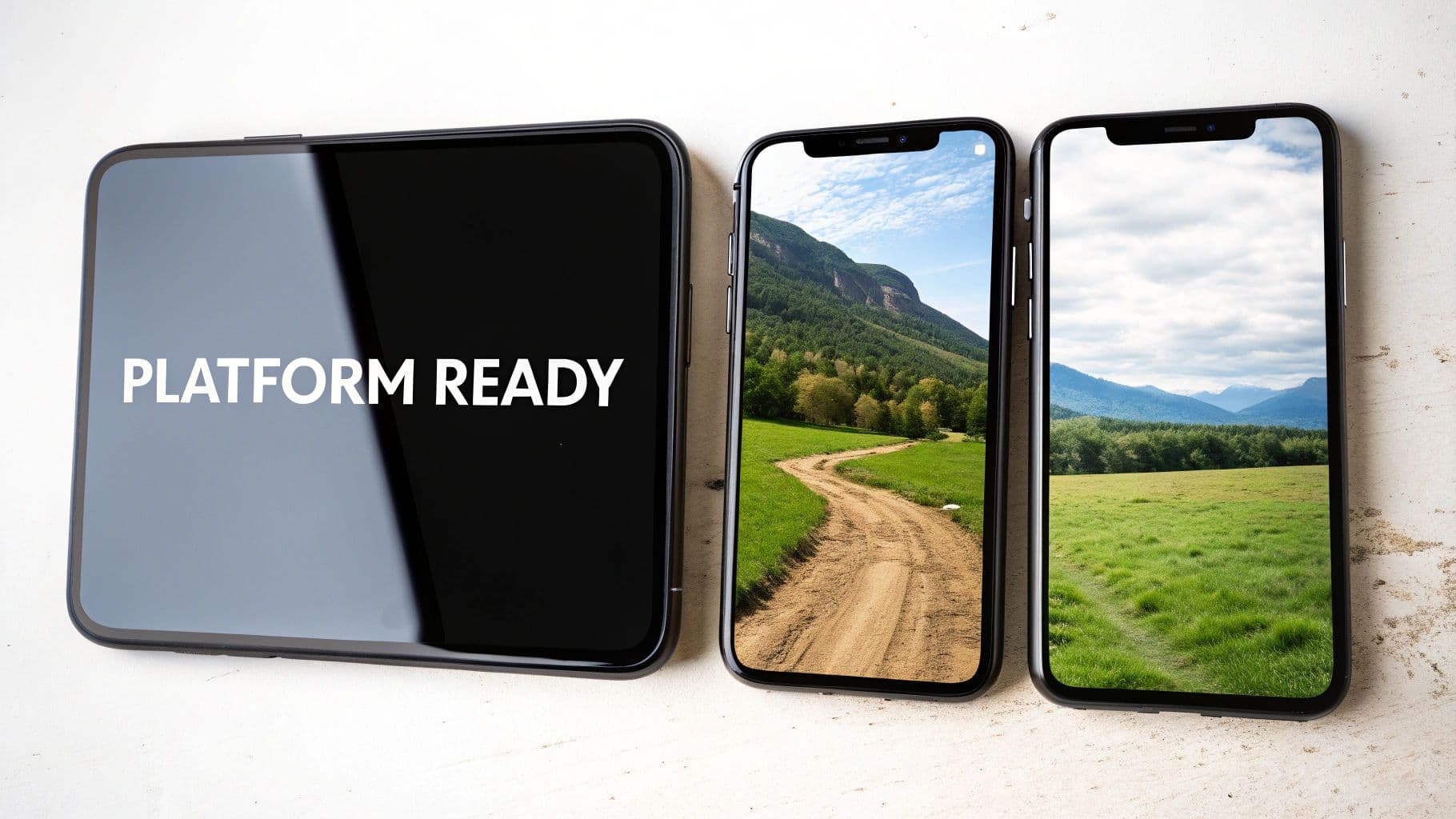
Before you even think about hitting that download button, you need to lock in your aspect ratio. This is all about the shape and size of your video, and it’s the single most important factor for claiming as much screen real estate as possible.
For vertical-first platforms like Instagram Reels, TikTok, and YouTube Shorts, a 9:16 aspect ratio is the undisputed king. This format completely fills the mobile screen, delivering a far more immersive experience than a horizontal video awkwardly sandwiched between black bars. Thankfully, most photo-to-video AI tools let you choose this format right from the start, so every visual element is framed perfectly for mobile viewing.
Beyond the shape, don't skimp on quality. Always export in the highest resolution you can, which is typically 10080p (Full HD). If a 4K option is available, use it. Crisp, clear visuals look more professional and give you a buffer against the aggressive compression algorithms that social platforms use, which can often make lower-quality videos look muddy.
A Data-Driven Approach to Performance
Once your video is out in the wild, the real work begins. You can’t just post and pray. Treat every single ad you run as a chance to learn something new. This is where a little bit of strategic testing pays off in a big way.
The most successful marketers don't guess what their audience wants—they test, measure, and iterate. Small changes to your video's caption, thumbnail, or call-to-action can lead to significant lifts in engagement and conversion rates.
Try creating two slightly different versions of your ad using the same core images. This is classic A/B testing, and it’s incredibly powerful. You could experiment with a few simple variables:
- Different Captions: Pit a question-based hook against a direct, benefit-driven statement.
- Varying Voiceovers: Test a warm, friendly AI voice against a more authoritative one.
- Music Choices: See if a high-energy, upbeat track drives more clicks than a calm, cinematic one.
Let the ads run for a few days, then dive straight into the analytics. Look at the hard numbers: view duration, click-through rate (CTR), and, most importantly, conversions. Did one version clearly pull ahead? Those insights are pure gold. Use what you learn to refine your next batch of videos, continuously sharpening your strategy and ensuring your photo-to-video AI efforts deliver real, measurable results for your business.
Got Questions About Photo to Video AI? We’ve Got Answers.
Jumping into any new creative tool is going to come with a few questions, and AI video generators are no different. You've got the vision, you've got the photos, but you need a few specifics before you hit "go." Let's clear up some of the most common questions we hear so you can start creating with confidence.
How Many Photos Should I Actually Use?
This is probably the number one question people ask. While there’s no single magic number, a great rule of thumb is to aim for somewhere between 5 and 15 high-quality images.
The right amount really depends on what you’re making. For a quick, punchy social media ad for TikTok or Instagram Reels, 5 to 8 photos is often the sweet spot. That’s more than enough to create a dynamic, engaging video that grabs attention in under 15 seconds.
But what if you're building something more substantial, like a virtual tour for a real estate listing or a detailed product showcase? In that case, leaning towards 10 to 15 images gives the AI more to work with, allowing it to build a richer, more immersive story.
What Kind of Images Get the Best Results?
Your final video is only as good as the photos you feed the AI. Garbage in, garbage out, as they say. To get those smooth, professional-looking results, you’ll want to start with images that are:
- High-Resolution: This is non-negotiable. Sharp, clear photos give the AI more visual data to process, which translates into cleaner animations and transitions. Avoid blurry or pixelated shots at all costs.
- Well-Lit: Consistency is key. Using photos with similar, bright lighting helps create a cohesive and polished look. It prevents the final video from feeling jarring or patched together.
- Visually Cohesive: Think like a curator. Choose images that share a similar style, mood, or color palette. This helps the AI generate seamless transitions that feel natural and intentional.
For an e-commerce ad, this means using clean product shots from multiple angles, ideally against the same background. If you're building a portfolio, it's about sequencing your best work in a way that tells an impressive, logical story.
A quick note on ownership: With most reputable platforms, you retain full commercial rights to the videos you generate. The platform provides the technology, but the final creative output is yours to use freely for ads, social content, and marketing campaigns without licensing concerns. As always, it's smart to double-check the terms of service.
Can I Add My Own Branding and Audio?
Absolutely. Customization is where your brand’s personality really shines through. Most photo to video AI tools come loaded with huge libraries of royalty-free music and a selection of AI-generated voiceovers, which are fantastic for getting a project off the ground quickly.
But what if you have a specific brand anthem or a pre-recorded voiceover from your go-to artist? The ability to upload your own assets can vary. Some tools are designed to be self-contained, prioritizing speed over deep customization.
If using your own audio is a must, there’s a simple and effective workaround. Just export the AI-generated video with the sound turned off. From there, you can pop it into any basic video editor and layer in your custom audio track. This gives you the best of both worlds: the incredible speed of AI generation combined with the unique audio identity of your brand.
Ready to stop wondering and start creating? With Proom AI, you can turn your best photos into professional, engaging video ads in just a few minutes. Try Proom AI for free and see how easy it is to bring your images to life.
Ready to create video ads?
Turn your photos into scroll-stopping ads in minutes. No video editing skills required.
Try For Free

