Best AI Video Generators 2026: 12 Tools Ranked
We tested 23 AI video generators. These 12 won for quality & speed. See side-by-side comparisons, real output examples, and hidden pricing catches. Updated Jan 2026.
The landscape of video creation has fundamentally shifted. Gone are the days when high-quality video production required expensive gear, complex software, and weeks of effort. Today, the best AI video generators can transform simple text prompts, scripts, or even a handful of photos into compelling, professional-grade videos in mere minutes. This new wave of technology empowers marketers, designers, real estate agents, and creators to produce cinematic ads, engaging social media content, and polished training materials faster than ever before.
But with a rapidly growing market, choosing the right tool can feel overwhelming. They are not all created equal. Some excel at generating hyper-realistic scenes from a single text prompt, others specialize in creating lifelike AI avatars for corporate training, and a select few, like Proom AI, are purpose-built to turn static images into dynamic, industry-specific video ads.
This guide cuts through the noise. We've rigorously tested and ranked the top platforms, providing an honest look at their unique strengths, practical limitations, and ideal use cases. Each entry includes detailed analysis, sample outputs, and direct links to help you make an informed decision. Whether you need to craft a stunning real estate showcase, a viral TikTok ad, or a scalable series of explainer videos, this resource will help you find the perfect AI partner for your creative goals.
1. Proom AI
Proom AI solidifies its position as one of the best AI video generators by offering an incredibly streamlined solution for transforming static images into dynamic, cinematic video ads. Its intuitive three-step process (template selection, image upload, generation) empowers users to create professional-quality video content in minutes, completely bypassing the steep learning curve and time commitment of traditional video editing software. This makes it a standout choice for professionals who need to produce high-impact social media ads and portfolio showcases with maximum efficiency.
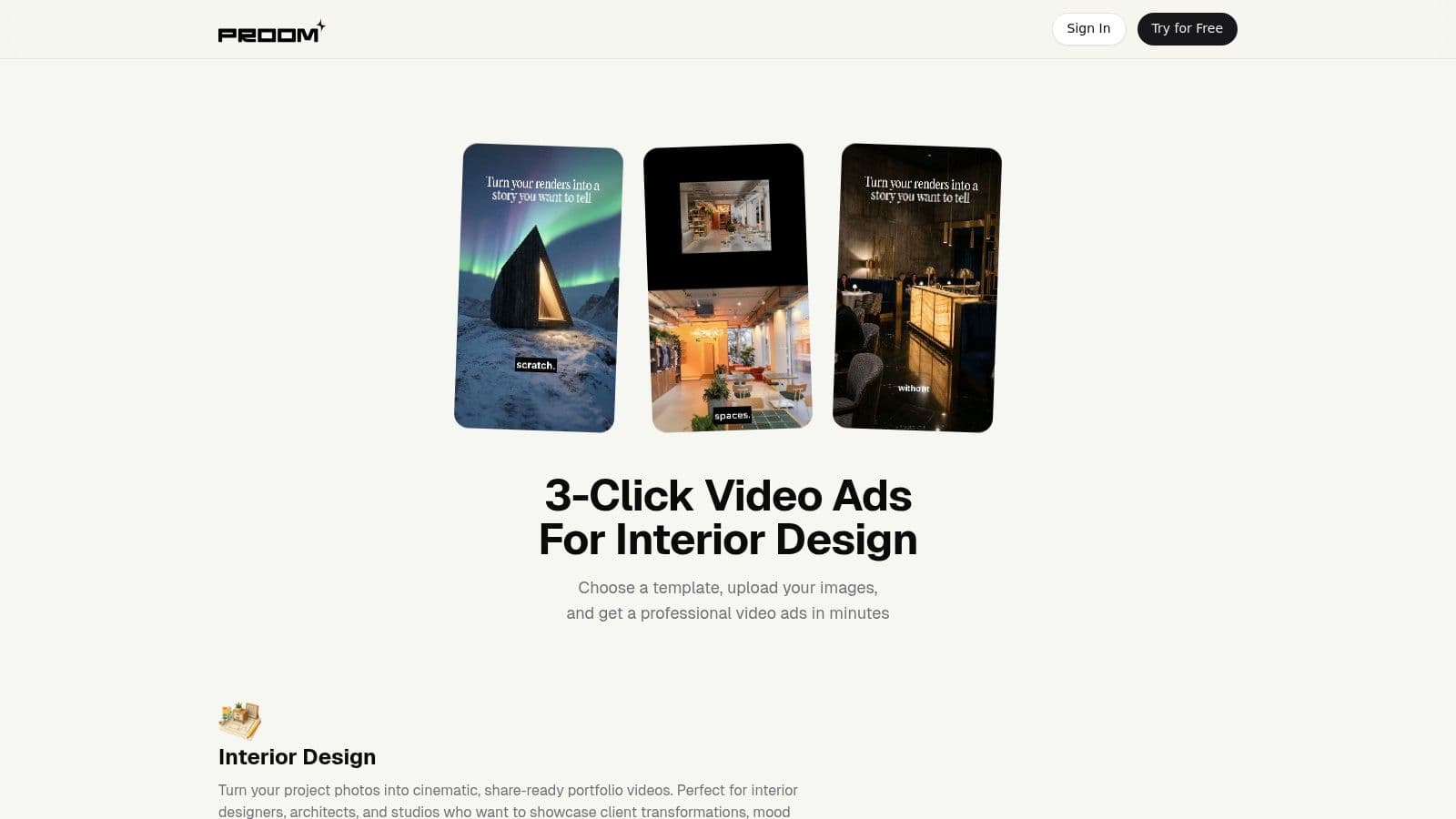
What truly sets Proom AI apart is its focus on industry-specific needs, particularly for visually driven sectors like real estate, architecture, and interior design. Its templates are not generic; they are crafted to highlight transformations, showcase materials, and build a compelling visual narrative that resonates with target audiences. This specialization ensures that the final output feels bespoke and highly professional, rather than a generic, AI-generated video.
Key Features and Use Cases
- Cinematic Templates: Specialized templates for interior design, real estate, and e-commerce marketing allow for creating stunning before-and-after videos, property tours, and product showcases directly from photos.
- AI Presenters & Custom Influencers: Users can add a human touch with multilingual AI presenters or even create custom AI influencers that align perfectly with brand aesthetics, delivering scripted messages without hiring talent.
- Built-in Scripting Tools: The platform includes integrated AI tools to generate compelling hooks and effective calls-to-action, streamlining the creative process. You can explore how Proom AI's integrated tools help craft powerful CTAs to boost ad performance.
- Full Customization: Beyond templates, you can customize captions, text styles, and background music to ensure every video is on-brand and optimized for its intended platform.
Pros and Cons
| Pros | Cons |
|---|---|
| Extremely fast workflow turns photos into finished video ads in minutes. | Credit-based pricing can be confusing for new users and potentially costly for very high-volume production. |
| Industry-specific templates produce highly relevant and cinematic results. | Not a full-fledged video editor; lacks timeline-level control for advanced users needing granular editing capabilities. |
| AI presenters and custom influencers provide a unique way to voice content. | Limited public customer testimonials or industry awards currently showcased on the site. |
| Team collaboration features and full ownership of generated content. | |
| Free trial available to test the platform's capabilities risk-free. |
Pricing and Access
Proom AI uses a flexible, credit-based pricing model, allowing users to purchase bundles (e.g., 120, 225, 375 credits) that fit their production volume. This system supports scalability, and a free trial is available for new users to experience the workflow before committing.
Visit Proom AI to explore its features and start your free trial.
2. Runway
Runway positions itself as a full-stack, browser-based creative suite, making it one of the best AI video generators for professionals who need more than just simple text-to-video. Its strength lies in its Gen-4.5 model, which delivers impressive photorealism and adherence to complex prompts. This makes it an ideal choice for creating cinematic clips, product showcases, or abstract visuals that require a high degree of artistic control.
Unlike many competitors that focus on a single function, Runway provides an integrated workflow. Users can generate video from text or images, then immediately take that footage into a robust, multi-track editor within the same interface. This is a game-changer for collaborative teams, allowing them to manage projects, assets, and edits in one centralized hub.
Key Features & Use Cases
- Best For: Marketing agencies, filmmakers, and creative teams needing production-grade tools.
- Standout Feature: Gen-4.5 text-to-video for high-fidelity, prompt-driven generation.
- Use Case (Real Estate): A real estate agent could use an image of an empty lot and the image-to-video feature to generate a dynamic video showing a modern home being built, helping buyers visualize the final property.
Pricing and Access
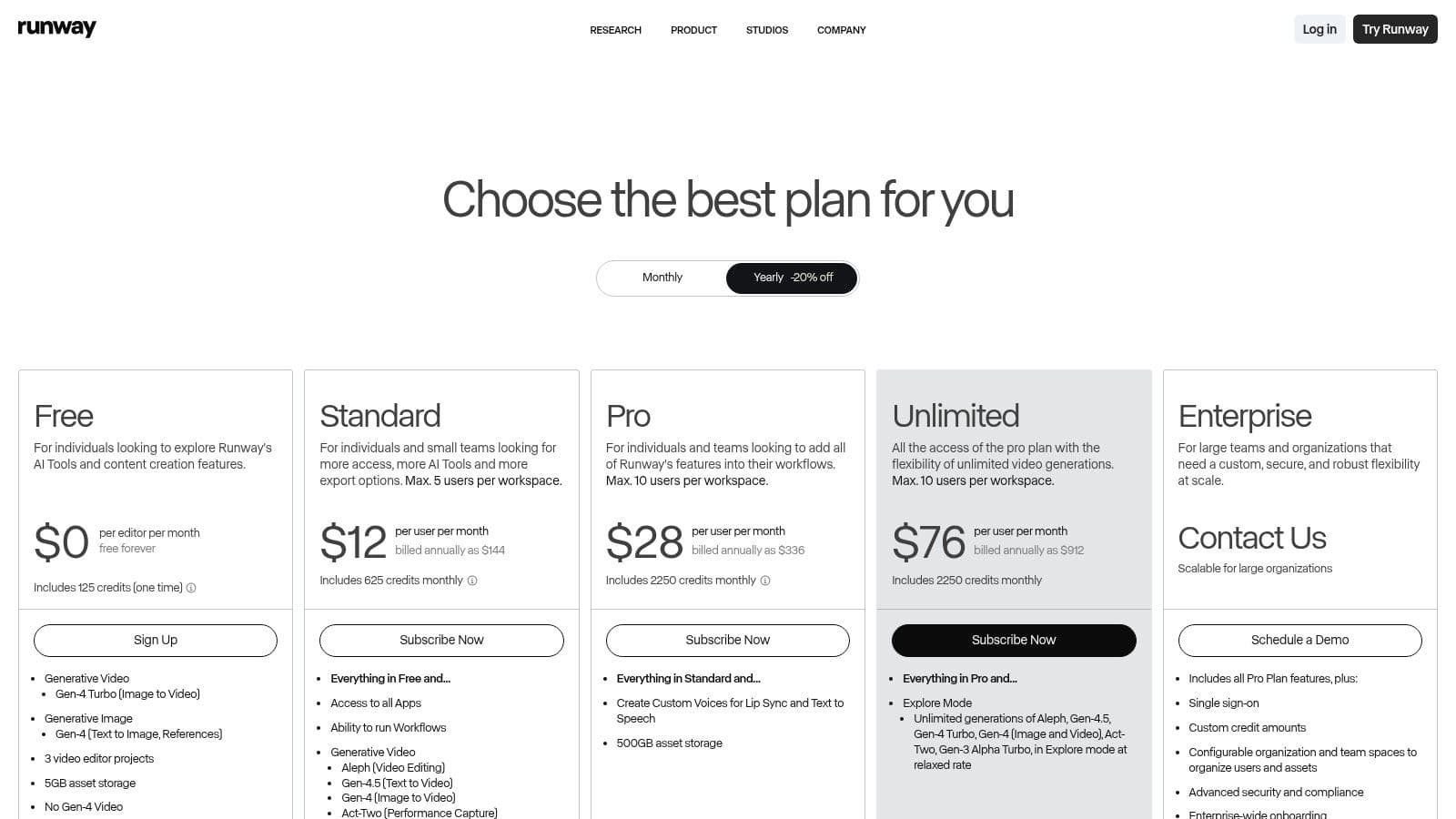
Runway operates on a credit-based system, which can be confusing at first. A free tier is available but includes a watermark and limited credits. Paid plans start at $12/user/month (billed annually) for more credits and features like custom watermarks and 4K upscaling. Access the full suite and see pricing details at runwayml.com.
Pros:
- Exceptional output quality with strong photorealism.
- Integrated video editor and collaborative workflows.
- Regular model updates and multiple generation options.
Cons:
- Credit system can be complex to manage.
- Watermark is present on the free plan.
3. Pika
Pika has carved out a niche as one of the best AI video generators for users who prioritize speed, creativity, and rapid iteration. It excels at producing short, dynamic clips perfect for social media, memes, or conceptual visuals. The platform offers a choice between different models like Turbo for speed and Pro for higher quality, allowing users to balance their needs for quick drafts versus polished final outputs.
The platform's strength lies in its accessible, Discord-integrated user experience and a suite of creative tools designed for transformation. Instead of focusing on a single, complex workflow, Pika encourages experimentation with features like Pikaswaps (modifying objects) and Pikaffects (applying stylistic filters), making it a playground for artists and marketers who need to generate a high volume of varied content quickly.
Key Features & Use Cases
- Best For: Social media managers, artists, and creators needing fast, stylized video clips.
- Standout Feature: A toolkit with multiple models and creative effects for rapid video transformation.
- Use Case (E-commerce): A small business could upload a static product photo and use Pika to generate several short, eye-catching video ads, each with a different effect or animation style, to A/B test on social media platforms.
Pricing and Access
Pika uses a credit-based system, offering a free tier with daily credits to get users started. Paid plans offer more credits and unlock advanced features, though the specific details and plan names can change and are often displayed after logging in. The community-driven nature of its documentation means that third-party summaries can vary, so checking the official site is best. Access the generator and see current plans at pika.art.
Pros:
- Very fast rendering times for short video clips.
- Low entry price with a functional free tier.
- Frequent model updates and new feature releases.
Cons:
- Official pricing details can be gated behind a login.
- The credit system and plan allowances are subject to change.
4. Synthesia
Synthesia focuses on creating polished, avatar-driven presentations, making it one of the best AI video generators for corporate training, instructional content, and marketing explainers. Instead of generating cinematic scenes from text, its strength lies in producing high-quality "talking head" videos from a script. This makes it a powerful tool for businesses looking to scale video production without the need for cameras, actors, or physical studios.
The platform offers a vast library of stock AI avatars and supports the creation of custom digital twins for a branded look. Its standout feature is its localization capability, allowing users to translate scripts and dub videos into over 120 languages with precise lip-syncing. This streamlined workflow is ideal for global enterprises needing to create consistent, multi-language training materials or product demos efficiently and at scale.
Key Features & Use Cases
- Best For: Enterprises, HR departments, and educational institutions creating scalable training and communication videos.
- Standout Feature: AI-powered localization with 1-click translation and voice cloning for global audiences.
- Use Case (Corporate Training): An HR manager can create a consistent onboarding video series using a custom company avatar, then instantly translate and dub it for new hires in international offices, ensuring a uniform message.
Pricing and Access
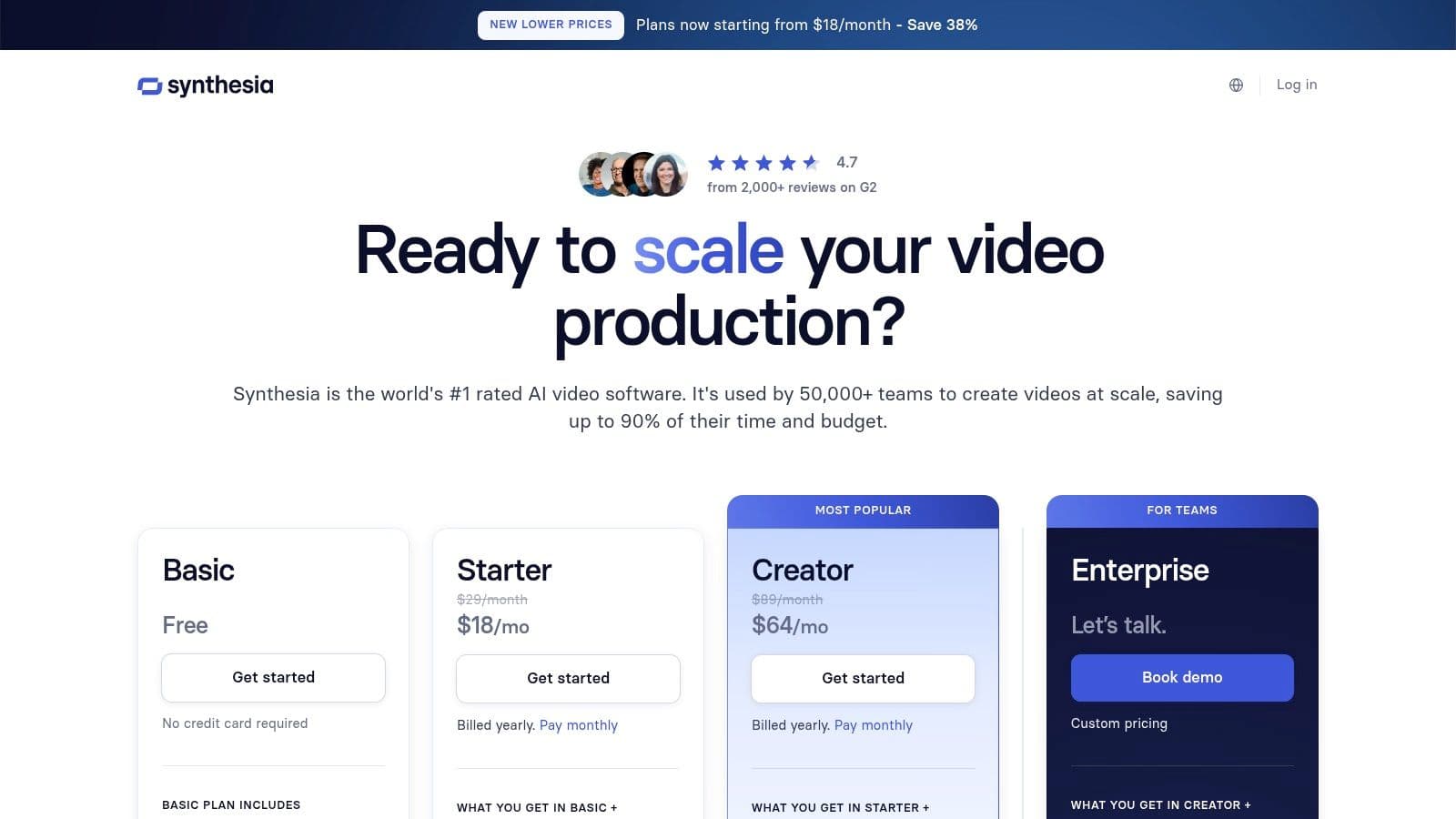
Synthesia uses a subscription model based on the number of video minutes generated per year. There is no free tier, but users can create a free demo video to test the platform. The "Personal" plan is priced at $22/month (billed annually) and includes 10 minutes of video per month. Business and Enterprise plans offer more minutes, custom avatars, and API access. Find full details at synthesia.io/pricing-options.
Pros:
- Enterprise-grade features with a focus on compliance and security.
- High-quality, natural-sounding AI presenters and localization.
- Templates and API enable scalable, automated video production.
Cons:
- Limited cinematic text-to-video generation capabilities.
- Minute-based pricing can be restrictive for high-volume needs on lower tiers.
5. HeyGen
HeyGen specializes in creating hyper-realistic talking avatars, making it one of the best AI video generators for business communications, training materials, and content localization. Its core strength is its advanced lip-sync technology and its Avatar IV engine, which can transform a single photo into a lifelike avatar capable of natural-looking speech and gestures. This makes it a go-to platform for producing presenter-style videos without needing a camera or a human actor.
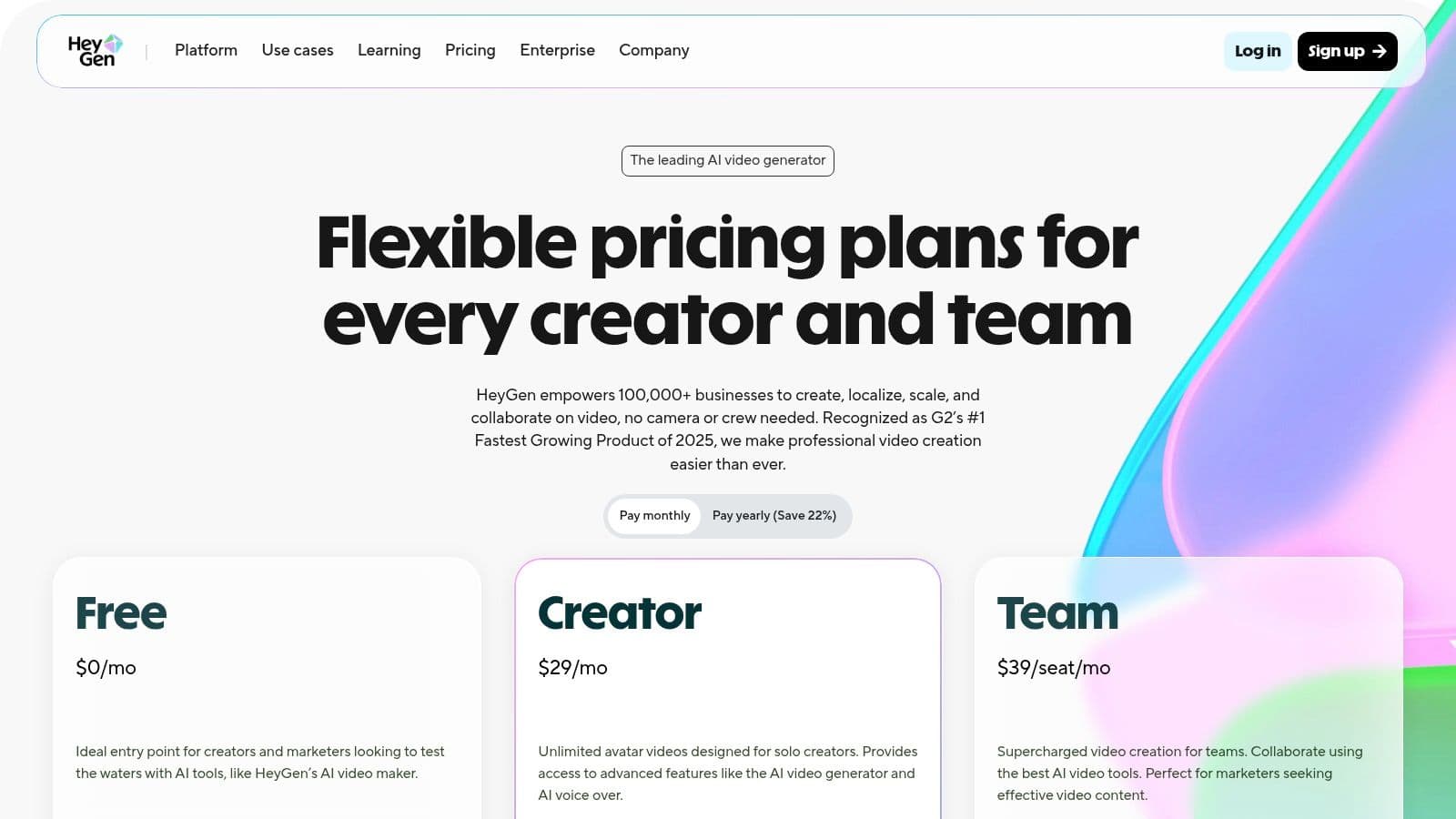
The platform is designed for efficiency, especially in corporate settings. Users can choose from over 500 stock avatars or create a custom digital twin, clone their voice, and rapidly translate scripts into dozens of languages. This integrated workflow is a significant advantage for global teams aiming to produce consistent, branded video content for different regions, from marketing messages to internal announcements.
Key Features & Use Cases
- Best For: Businesses, marketing teams, and educators creating presenter-led videos or localizing content.
- Standout Feature: Avatar IV engine for creating expressive, high-quality talking avatars from a single photo.
- Use Case (E-commerce): An online store could use a custom avatar to create personalized thank-you videos for customers, translating the message into the buyer's native language to enhance the post-purchase experience.
Pricing and Access
HeyGen offers a free plan to test the platform, which includes one free credit and access to basic features. Paid plans, which offer more credits, higher video limits, and premium features like brand kits and 4K resolution, start at $24/month (billed annually). Be aware that advanced tools like Avatar IV consume credits differently. See the full breakdown at www.heygen.com/pricing.
Pros:
- Highly convincing lip-sync and expressive avatar animations.
- Simple, user-friendly interface for fast video creation.
- Excellent for content localization and corporate communications.
Cons:
- The credit system can be complex, as different features have different costs.
- Advanced features are restricted to higher-tier plans.
6. Colossyan
Colossyan is a script-to-video platform built specifically for workplace learning and corporate communications. It stands out as one of the best AI video generators for L&D teams and enterprises that need to create professional training, onboarding, and compliance content at scale. Its core strength is its library of AI avatars, auto-translation capabilities, and integrations with standard learning management systems (LMS).
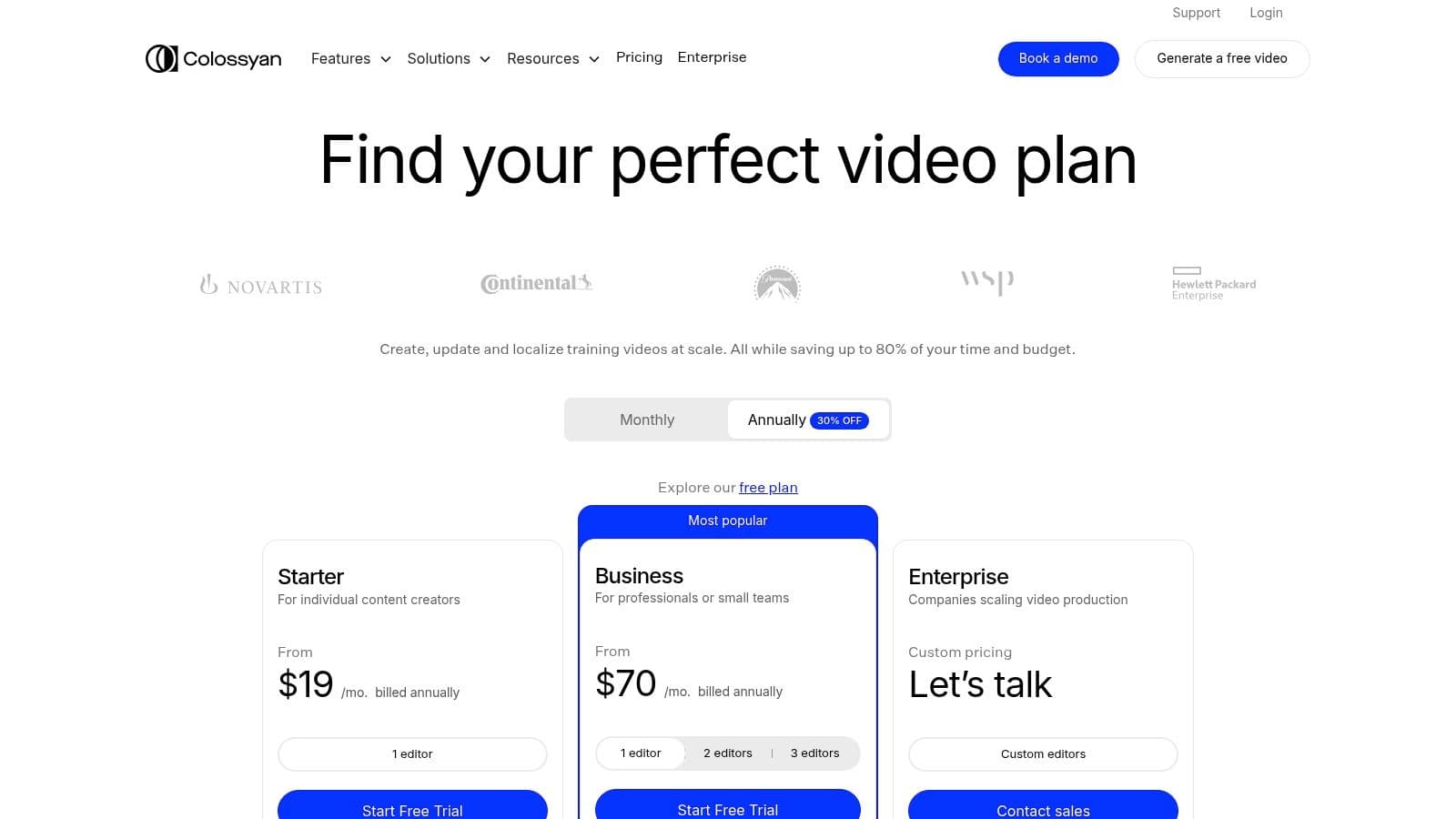
Unlike creative-focused tools, Colossyan's workflow is optimized for business efficiency. Users can paste a script, choose from over 70 AI actors, and automatically generate a polished video with voiceovers in minutes. The platform also supports interactive elements like quizzes and branching scenarios, transforming passive videos into engaging training modules that can be exported directly into an existing corporate training ecosystem.
Key Features & Use Cases
- Best For: Corporate trainers, human resources departments, and enterprises creating scalable training content.
- Standout Feature: Built-in interactivity with quizzes and SCORM export for seamless LMS integration.
- Use Case (Corporate Onboarding): An HR manager can create a consistent onboarding video series for new hires, automatically translating it into multiple languages for a global workforce and tracking completion via their company's LMS.
Ready to create video ads?
Turn your photos into scroll-stopping ads in minutes. No video editing skills required.
Try For FreePricing and Access
Colossyan offers several pricing tiers designed to scale with business needs. A starter plan is available for individuals, while the Pro and Enterprise plans unlock more advanced features like custom avatars, SSO, and deeper integrations. Pricing for the Pro plan starts at $140/month (billed annually) and includes more AI avatars and interactive features. Explore the full feature set at colossyan.com.
Pros:
- Designed specifically for training and corporate L&D at scale.
- Interactivity and SCORM support for professional LMS workflows.
- Clear upgrade path to powerful business and enterprise features.
Cons:
- Key features like custom avatars are gated behind higher tiers.
- UI and workflows emphasize business use over casual or creative video creation.
7. InVideo
InVideo is designed as an all-in-one, consumer-friendly platform, making it one of the best AI video generators for social media managers and marketers. It streamlines the entire creation process by combining AI scriptwriting, automatic storyboarding, and text-to-video generation into a single, cohesive workflow. This approach is perfect for users who need to produce polished marketing or explanatory videos quickly without deep technical expertise.
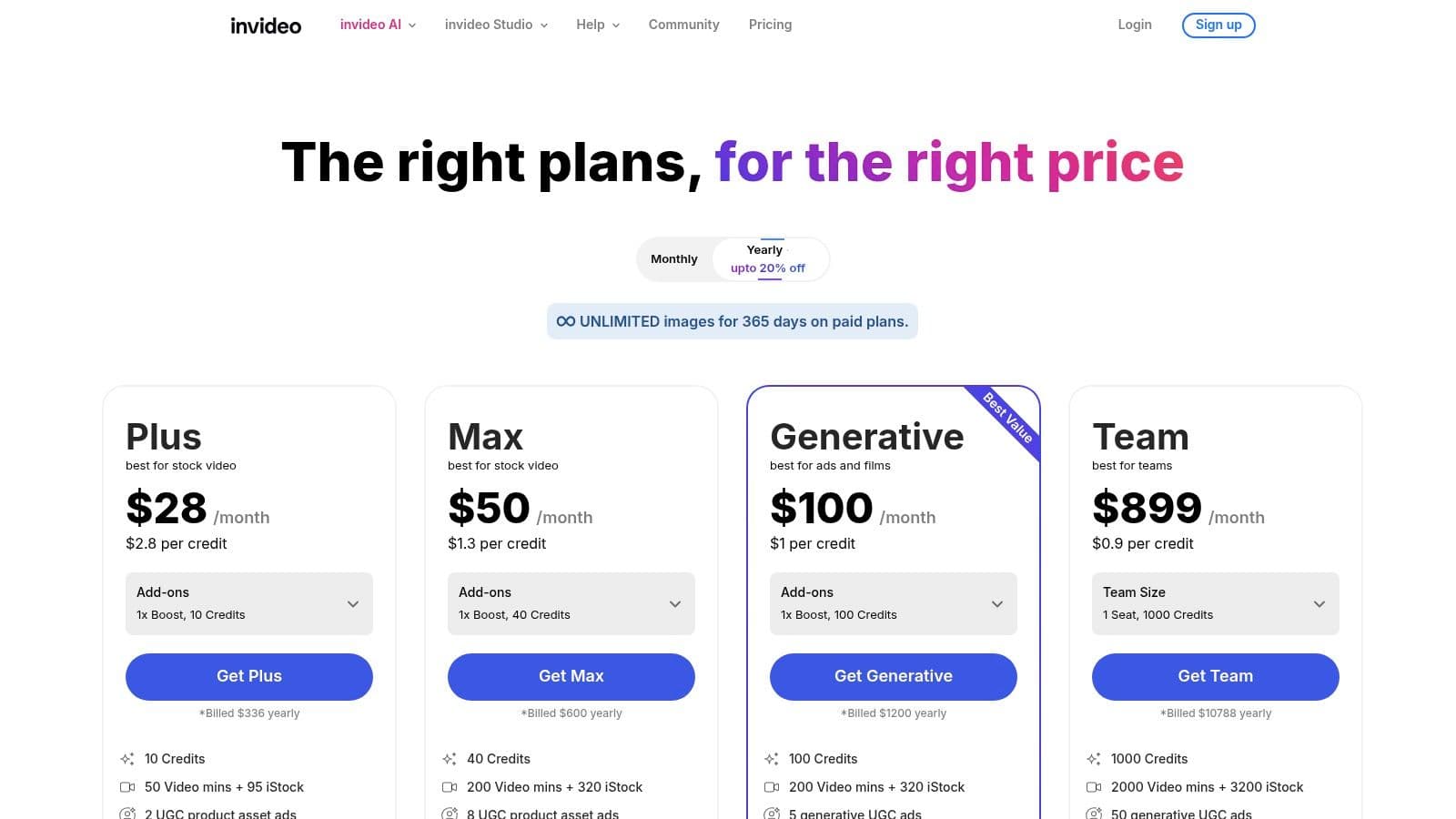
Unlike more specialized tools, InVideo excels by bundling features like AI avatars, voiceovers, and a massive library of iStock media directly into its plans. This integrated model means creators can go from a simple idea to a fully edited video with B-roll, voice narration, and captions, all without leaving the platform. The workflow is intuitive, guiding the user from prompt to final export with minimal friction.
Key Features & Use Cases
- Best For: Social media marketers, small businesses, and content creators needing a fast, end-to-end video solution.
- Standout Feature: A unified workflow that handles AI scriptwriting, storyboarding, and video generation from a single prompt.
- Use Case (Interior Design): An interior designer could input a prompt like "Create a short video on 2024's top Japandi design trends," and InVideo would generate a script, find relevant stock footage, and produce a shareable video for Instagram Reels, which can be further refined with interior design video templates.
Pricing and Access
InVideo offers a free plan, but it is very limited for AI generation and includes watermarks on exports. Paid plans provide significantly more AI generation minutes, export credits, and access to the iStock media library. Pricing starts around $20/month (billed annually). It's important to check their site, as plan names and allowances can evolve. See current details at invideo.io/pricing.
Pros:
- Easy-to-use interface, great for beginners.
- Generous stock media allowances on paid tiers.
- Integrated workflow from script to final video.
Cons:
- The free tier is highly restrictive for AI features.
- Plans and credit allowances can change, requiring verification.
8. VEED.io
VEED.io carves out its niche by merging a powerful online video editor with a suite of generative AI tools. It stands out as one of the best AI video generators for content creators and marketers focused on repurposing and enhancing existing footage, rather than just generating from scratch. Its Gen-AI Studio allows for scripted text-to-video creation, but its true power lies in its AI-assisted editing workflow.
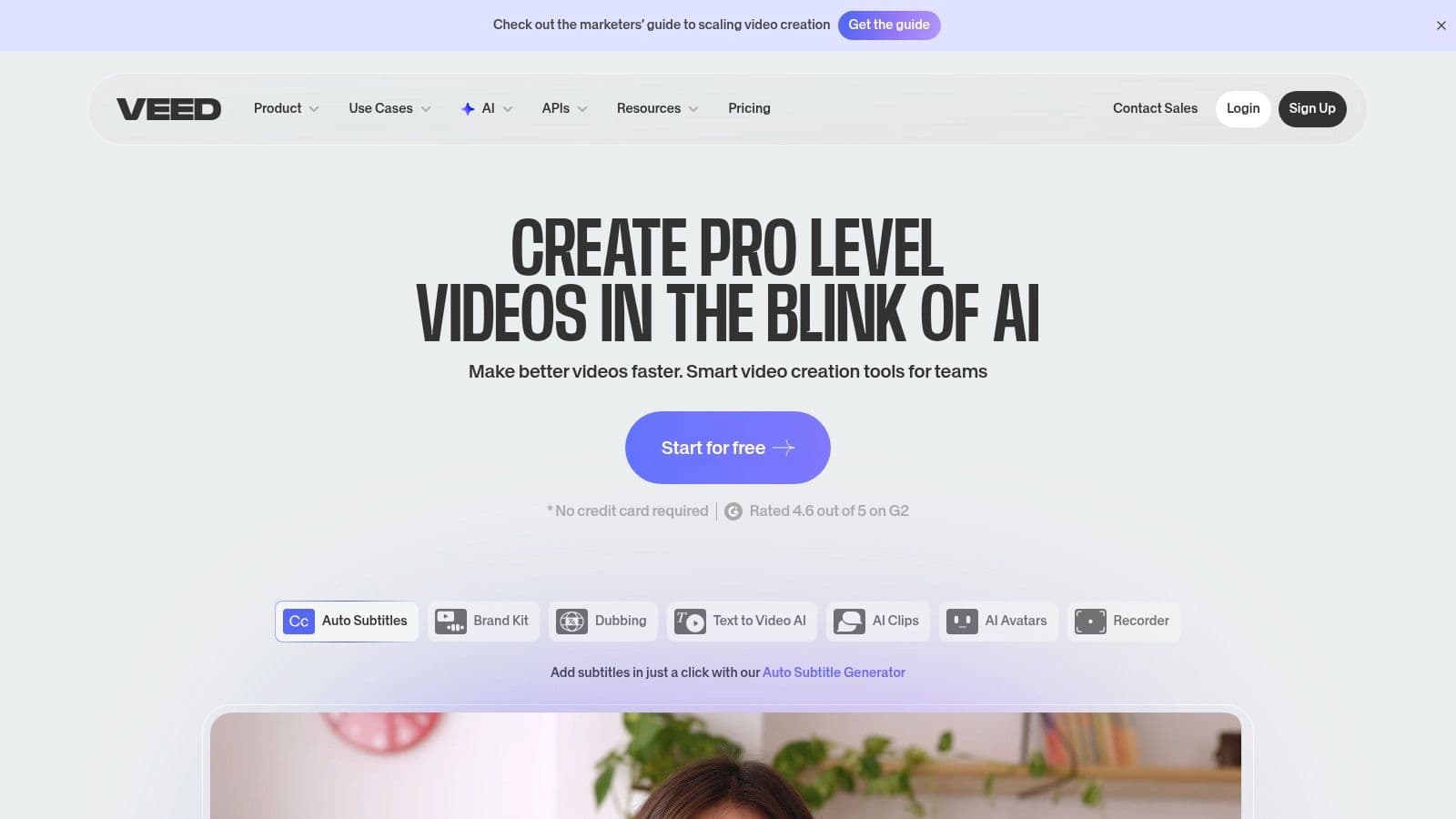
The platform is designed as an all-in-one solution for video production. Users can generate a clip, then seamlessly add automatic subtitles, translate and dub audio into different languages, and apply brand kits all within the same interface. This integrated approach makes it incredibly efficient for teams needing to create, edit, and localize video content at scale without juggling multiple applications.
Key Features & Use Cases
- Best For: Social media managers, content creators, and marketing teams needing to repurpose content quickly.
- Standout Feature: Integrated AI-powered editing tools like automatic subtitling, translation, and audio dubbing.
- Use Case (E-commerce): A social media marketer can upload a product video, use VEED.io to automatically generate subtitles, translate them into Spanish, and create a dubbed audio track, quickly adapting the ad for a new market.
Pricing and Access
VEED.io offers a free plan with watermarked exports and limited features. Paid plans provide more capabilities, starting with the Basic plan at $12/user/month (billed annually), which removes the watermark. The Pro and Business plans unlock premium features like 4K exports, brand kits, and access to more advanced AI credits. Explore the full feature set at www.veed.io.
Pros:
- Balanced combination of a full-featured editor and AI generation tools.
- Excellent for repurposing existing content with AI assistance.
- Accessible pricing tiers and strong team collaboration features.
Cons:
- Advanced AI features are gated behind higher-tier plans.
- Credit system for premium models can vary and may be confusing.
9. Kapwing
Kapwing is a well-known online editor that has seamlessly integrated AI into its powerful suite, positioning it as one of the best AI video generators for creators who prioritize a fluid editing workflow. Instead of just generating clips, Kapwing’s AI assistant, Kai, can assemble an entire video from a simple prompt, complete with voiceovers, B-roll, music, and captions. This makes it an excellent choice for teams and individuals who need to move quickly from an idea to a polished final product.
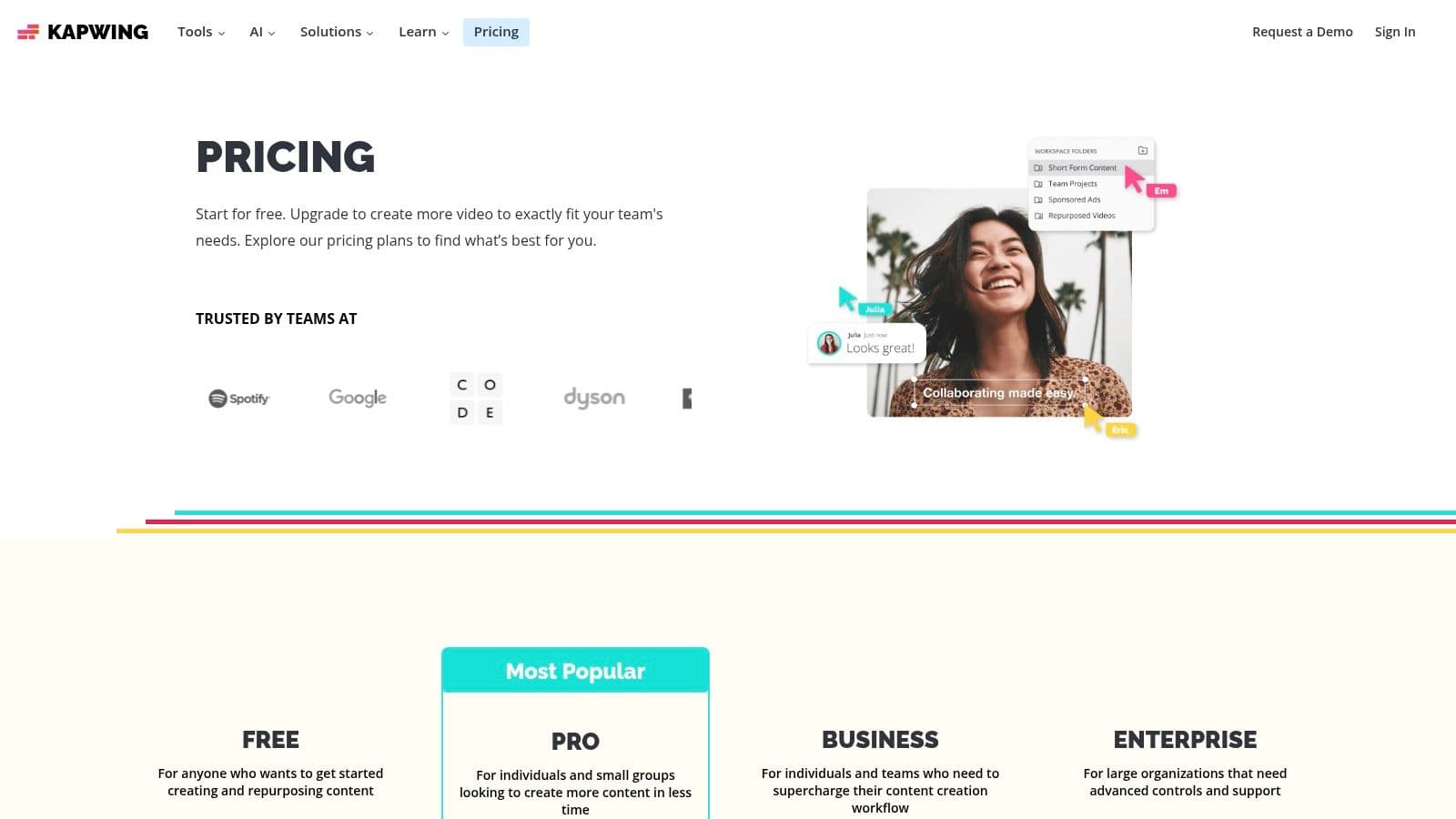
The platform’s core strength is its generate-then-edit process, which happens within a single, collaborative workspace. You can use text-to-video to create a scene and then immediately access Kapwing’s robust editor to trim, add text, or incorporate stock assets. This unified environment removes the friction of downloading and re-uploading clips, making it highly efficient for producing social media ads, tutorials, and marketing content.
Key Features & Use Cases
- Best For: Social media managers, content creators, and small businesses needing an all-in-one generation and editing tool.
- Standout Feature: Kai, the AI assistant that automates the entire video creation process from a single prompt.
- Use Case (E-commerce): An e-commerce brand can enter a prompt like "create a 30-second ad for our new eco-friendly water bottle" and have Kai generate a video with stock footage, energetic music, and auto-generated captions ready for social media.
Pricing and Access
Kapwing offers a free plan with a watermark and usage limitations. Paid plans unlock more features and remove the watermark, starting with the Pro plan at $16/user/month when billed annually. Higher tiers add brand kits, shared workspaces, and 4K exports. AI features are managed with a credit system. See the full pricing breakdown at kapwing.com/pricing.
Pros:
- Smooth generate-then-edit workflow inside a single editor.
- Generous stock asset library and collaboration features.
- Team-friendly workspace and project sharing.
Cons:
- AI features are metered by a credit system.
- Free plan includes watermarks and usage limits.
10. Fliki
Fliki specializes in transforming scripts into narrated videos, making it one of the best AI video generators for content creators who prioritize high-quality voiceovers. Its core strength is an enormous library of ultra-realistic text-to-speech voices, which allows users to produce tutorials, social media shorts, and marketing content with professional-sounding narration in minutes. This focus on audio makes it a standout choice for anyone creating educational or informational videos where clarity and vocal tone are paramount.
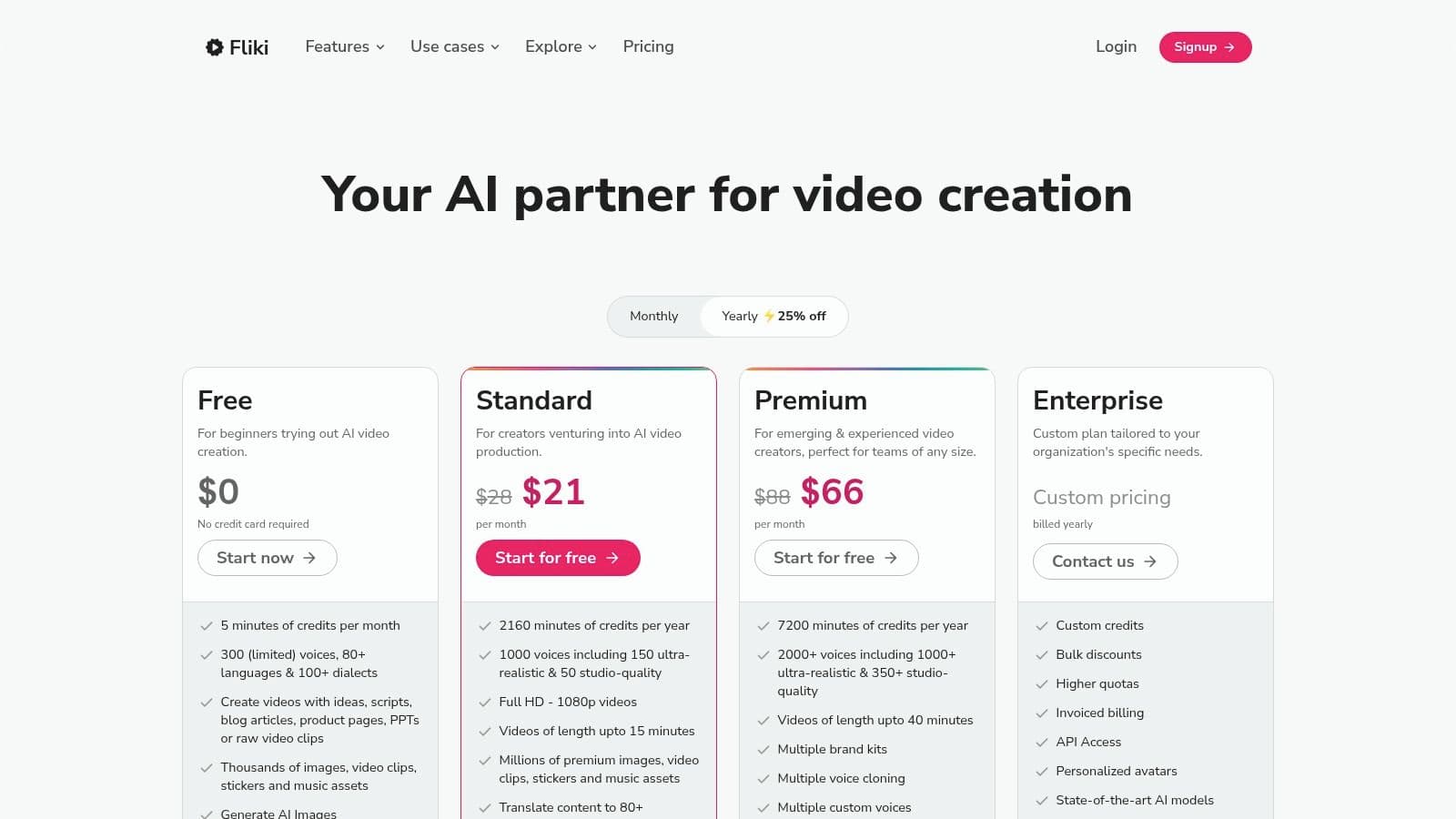
The platform streamlines the creation process by automatically pairing your script with relevant stock media, but the real power lies in its multilingual capabilities. With support for over 80 languages and hundreds of dialects, Fliki is perfectly suited for businesses and marketers aiming to reach a global audience without the high cost of hiring voice actors. The workflow is simple: input your text, choose a voice, and let the AI build the visual sequence.
Key Features & Use Cases
- Best For: E-commerce brands, educators, and social media marketers creating narrated video content.
- Standout Feature: A massive library of over 2,000 text-to-speech voices across 80+ languages.
- Use Case (E-commerce): An online store can quickly produce dozens of product explainer videos for international markets by translating a single script and generating localized voiceovers for each region, all from one platform.
Pricing and Access
Fliki offers a free tier that allows users to test the platform with limited credits and watermarked videos. Paid plans provide more minutes, higher-quality 1080p exports, and commercial rights. The Standard plan starts at $21/month (billed annually) and includes 180 minutes of credits. For more advanced features like voice cloning and higher limits, premium plans are available. You can view all options at fliki.ai/pricing.
Pros:
- Extensive selection of high-quality voices and languages.
- Simple, fast workflow for script-to-video production.
- Generous minute quotas on paid plans compared to competitors.
Cons:
- Avatar features are less developed than dedicated avatar platforms.
- Power users might find lower-tier minute limits restrictive.
11. Adobe Express / Firefly Video
Adobe Express brings its powerful Firefly Video model into a user-friendly, all-in-one content creation platform. This makes it one of the best AI video generators for creatives and businesses already invested in the Adobe ecosystem. Its core strength is its commitment to commercial safety, training its model on licensed Adobe Stock content to minimize copyright risks for brands.
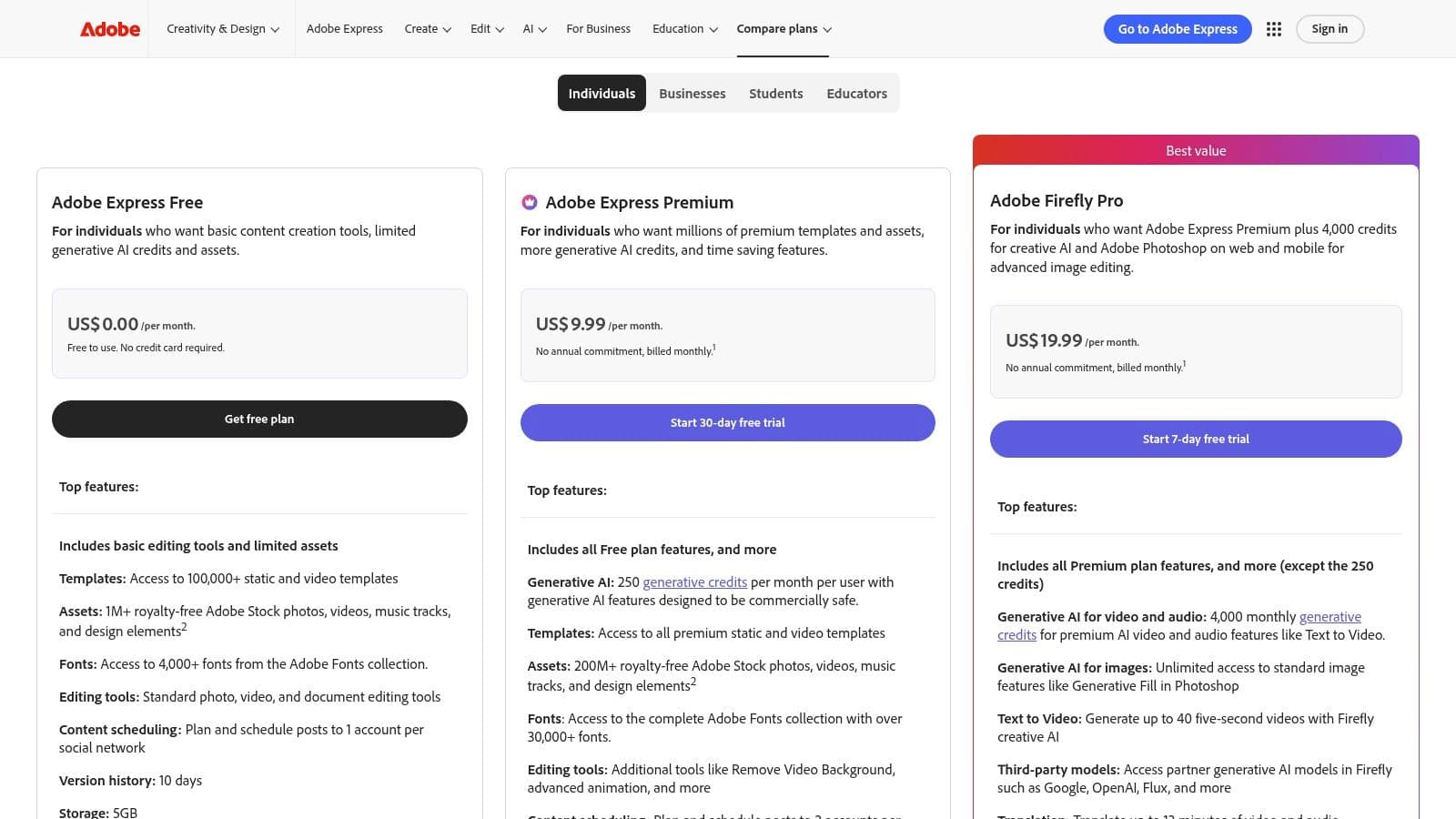
Unlike standalone generators, Adobe Express integrates text-to-video with a vast library of templates, brand kit tools, Adobe Stock assets, and a social media scheduler. This creates a streamlined workflow from concept to publication, allowing a small business to generate a product clip, apply brand fonts and colors, and schedule it to post without leaving the app.
Key Features & Use Cases
- Best For: Social media managers, small businesses, and Adobe Creative Cloud users.
- Standout Feature: Commercially safe AI video generation integrated with brand kits and Adobe Stock.
- Use Case (E-commerce): An e-commerce brand could use the prompt "a sleek, modern perfume bottle on a reflective surface with soft lighting" to generate a short, professional-looking ad, then use templates to add their logo and promotional text before scheduling it to Instagram.
Pricing and Access
Adobe Express offers a free plan with a limited number of monthly generative credits. The Premium plan, which unlocks more credits, the full stock library, and advanced features, starts at $9.99/month. Generative video and other AI features are metered by credits, which can be purchased in additional packs. Explore the full pricing structure at adobe.com/express/pricing.
Pros:
- Clear commercial-safety stance and asset licensing.
- Deep integration with Adobe Creative Cloud assets.
- Predictable pricing with monthly generative credits.
Cons:
- Current video generations are limited to very short clips.
- Features are metered by a credit system.
12. Canva (Magic Media AI video)
Canva integrates AI video generation directly into its widely-used design platform, making it one of the best AI video generators for users who prioritize convenience and an all-in-one workflow. Its Magic Media feature allows anyone to create short video clips from a simple text prompt within the familiar Canva editor. This approach is ideal for social media managers, small businesses, and non-designers who need to quickly add custom video assets to existing templates or brand kits without leaving the platform.
Unlike standalone video tools, Canva's strength lies in its ecosystem. A user can generate a clip, drop it into a pre-made social media template, add animated text, apply brand colors, and publish it directly to their channels. This seamless process eliminates the need to jump between multiple applications, streamlining the content creation pipeline for busy teams and individuals.
Key Features & Use Cases
- Best For: Social media marketers, small business owners, and individuals needing a quick, integrated design and video solution.
- Standout Feature: End-to-end workflow from AI video generation to final design and direct publishing, all within one tool.
- Use Case (Real Estate): A marketing coordinator can use Canva's prompt-to-video feature to generate a "dreamy backyard oasis" clip, then immediately place it into one of Canva's real estate video templates to create a compelling Instagram Reel for a new listing.
Pricing and Access
Canva offers a free tier with limited Magic Media credits. For more extensive use, the Canva Pro plan provides a higher credit allowance alongside premium features. Pricing for teams and AI features was updated in 2024, so users should review the current plans. Get started and view the latest pricing at www.canva.com.
Pros:
- Extremely easy for non-editors to produce videos.
- All-in-one design and video creation in a familiar tool.
- Affordable Pro plan is great for individuals and small teams.
Cons:
- AI video generation is limited by a credit system.
- Video quality and control are less advanced than dedicated AI video platforms.
Top 12 AI Video Generators — Feature Comparison
| Product | Core features | Target audience | Unique selling points | Pricing model |
|---|---|---|---|---|
| Proom AI (Recommended) | 3‑step photo→video workflow, cinematic templates, AI presenters, script tools, music & captions | Designers, architects, real estate, e‑commerce marketers, small agencies | Industry‑tailored cinematic templates, custom AI influencers, fast portfolio & ad production | Credit‑based bundles, team accounts, free trial |
| Runway | Gen‑4.5 text‑to‑video, image‑to‑video, editor, motion capture | Production teams, VFX creators, collaborative studios | Multiple generative models, photoreal quality, robust editor & workflows | Credit‑based generations; paid tiers remove restrictions |
| Pika | Fast short‑clip generator, multiple models, quick edit toolkit | Short‑form creators, social marketers on a budget | Very fast renders, low entry cost, creative effects toolkit | Credit‑based with free starter credits |
| Synthesia | Script‑to‑video with AI presenters, dubbing, API | Enterprises, training, explainers, localization teams | Large avatar library, voice cloning, multi‑language localization | Minute/credit system; enterprise plans available |
| HeyGen | Photo‑to‑avatar (Avatar IV), lip‑sync, voice cloning | Business comms, localization, presenter videos | Lifelike single‑photo avatars, strong lip‑sync & gestures | Plan quotas per feature; tiered usage limits |
| Colossyan | Script‑to‑video for L&D, quizzes, SCORM export | Learning & development, HR, enterprises | Interactive modules, LMS/SCORM support, multi‑language dubbing | Tiered plans; enterprise features gated |
| InVideo | Scriptwriting → storyboard → editor, stock media & avatars | Social & marketing creators, SMBs | Integrated end‑to‑end workflow with stock B‑roll | Subscription tiers with iStock allowances; limited free tier |
| VEED.io | Online editor + Gen‑AI Studio, subtitles, dubbing, 4K export | Content repurposers, editors, teams | Balanced editor + AI generation, team templates & brand kits | Tiered subscriptions; premium AI credits metered |
| Kapwing | Editor with AI assistant (Kai), captions, stock assets | Creators wanting generate‑then‑edit, teams | Smooth generate‑then‑edit workflow, collaborative workspaces | Credit‑metered AI; free plan has limits/watermark |
| Fliki | Script‑to‑video focused on TTS, huge voice library | Tutorial creators, narrators, short‑form marketers | 2,000+ voices, 80+ languages, strong TTS quality | Minute quotas by plan; higher tiers = more minutes/1080p |
| Adobe Express / Firefly Video | Prompt‑to‑video via Firefly, Adobe assets & brand tools | Adobe users, brands, creatives needing licensing | Adobe asset/licensing, CC integrations, predictable credits | Monthly generative credits; Creative Cloud integration |
| Canva (Magic Media AI video) | Prompt‑to‑video inside Canva editor, templates, brand kits | Non‑designers, marketers, small teams | Familiar design suite, templates + social publishing | Pro/Business plans with AI credit limits |
Choosing Your AI Co-Pilot: From Prompts to Production
The landscape of AI-powered video creation has exploded, moving from a niche concept to a practical reality for creators and businesses. As we have explored throughout this guide, the market for the best AI video generators is not a one-size-fits-all arena. Each tool offers a unique pathway from idea to final cut, catering to vastly different workflows, skill levels, and end goals.
We've seen how pioneers like Runway and Pika are at the forefront of generative, text-to-video artistry. These tools are ideal for those who want to conjure entirely new visual concepts from a simple text prompt, pushing the creative envelope. On another front, platforms like Synthesia and HeyGen have mastered the art of digital human presenters, providing an invaluable resource for creating scalable corporate training, educational modules, and marketing explainers without ever needing a camera.
Then there are the integrated editing suites such as InVideo, VEED.io, and Canva, which cleverly weave AI features into familiar, user-friendly interfaces. These platforms are excellent for those who need to enhance traditional video editing workflows with AI-powered shortcuts for tasks like captioning, object removal, or generating short clips. They serve as a bridge between conventional editing and the new world of generative AI.
Aligning Your Tool with Your True Needs
Your final decision hinges on a crucial question: What is your primary starting point, and what is your desired outcome? Understanding this distinction is the key to avoiding frustration and selecting a tool that genuinely accelerates your work.
To make the right choice, consider these pivotal factors:
- Workflow Origin: Are you starting with a blank slate and a creative prompt (requiring text-to-video), or do you have a collection of existing high-quality images, like architectural renderings or product photos, that you need to bring to life?
- Content Purpose: Do you need an expressive, artistic clip for a social media campaign, a polished presentation with a digital avatar, or a cinematic showcase of a physical space or product for a real estate listing or e-commerce ad?
- Technical Skill: Are you comfortable with complex timelines and multi-layered editing tools, or do you require a streamlined, almost automated process that prioritizes speed and efficiency over granular control?
Answering these questions will guide you toward the right category of AI video generator. A creative agency might lean towards Runway for its experimental capabilities, while a corporate L&D department would find immense value in Synthesia.
The Power of Specialized, Use-Case Driven AI
For a significant segment of professionals, particularly in visually-driven fields like interior design, architecture, and real estate marketing, the core challenge is not about creating something from nothing. It is about transforming high-value static assets, such as photographs and renderings, into compelling, professional-quality video ads and portfolio pieces. This is precisely where a specialized tool like Proom AI establishes its unique and powerful advantage.
Unlike the broad-stroke, all-in-one editors or the purely generative text-to-video platforms, Proom AI is purpose-built for a specific workflow: turning images into dynamic, cinematic video. Its focus on an intuitive three-step process, combined with industry-specific templates and AI-driven camera movements, directly solves the problem of creating high-impact property tours, design showcases, and product ads without a steep learning curve or extensive editing time. It recognizes that for these users, the source material is already perfect; it just needs motion. By aligning the tool’s strengths directly with your use case, you can transition from merely experimenting with AI to strategically deploying it as a reliable engine for your video marketing strategy.
Ready to transform your static images into captivating video ads and showcases in minutes? Experience the power of a tool designed specifically for designers, architects, and marketers. Try Proom AI today and see how effortless it is to create professional-grade, cinematic videos from your existing photos. Get started for free at Proom AI.
Ready to create video ads?
Turn your photos into scroll-stopping ads in minutes. No video editing skills required.
Try For Free

